Know Everything About Trip.com Cancellation Policy

By Trip.com
August 27, 2024

Quick Access to Trip.com's Cancellation Policy: Flights, Hotels, and Trains
Tap the buttons below to learn how to obtain a refund for flights, hotels, and trains on Trip.com!
How to Cancel a Flight Booking on Trip.com
Step 1: Access the Trip.com App to Cancel the Flight Booking
- Log in to your Trip.com account on your mobile device.
Step 2: Locate Your Flight Booking
- Navigate to "My Trips -> All Bookings" or “Account -> All Bookings” on the Trip.com app once you are logged in.
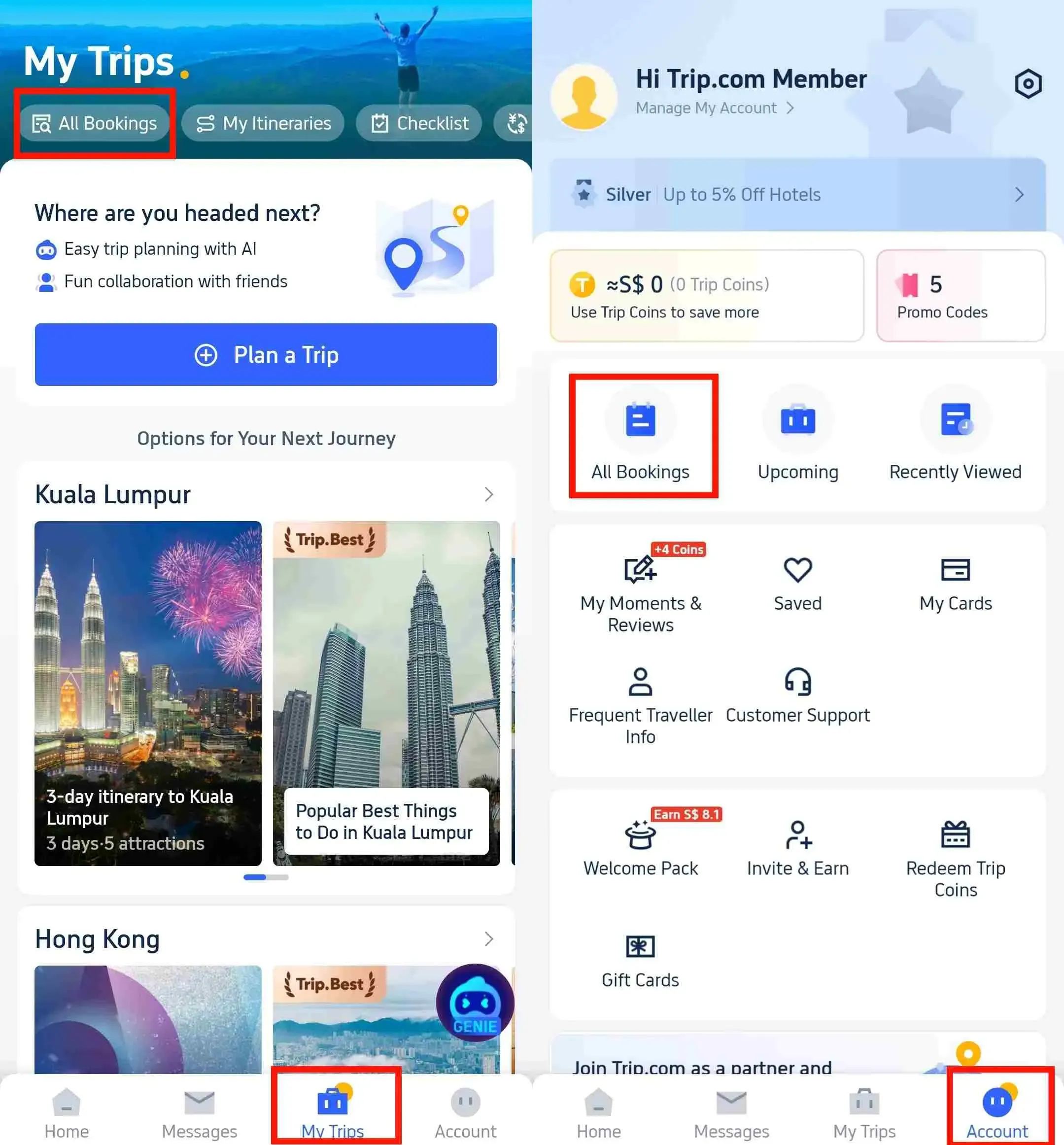
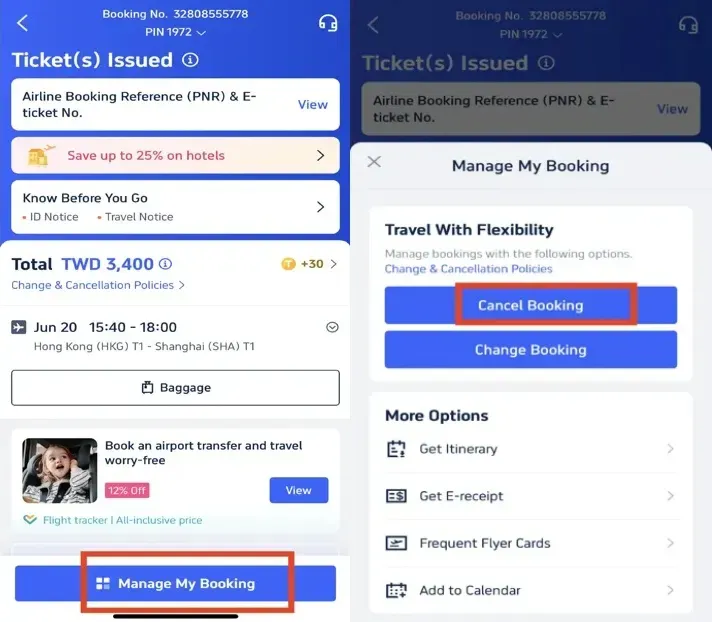
Step 3: Request the Trip.com Flight Cancellation
- Tap "Manage My Booking" and select the "Cancel Booking" button to proceed with the cancellation. Please note that according to Trip.com’s Flight Cancellation Policy, cancelling your flight may incur a service fee and cancellation charges.
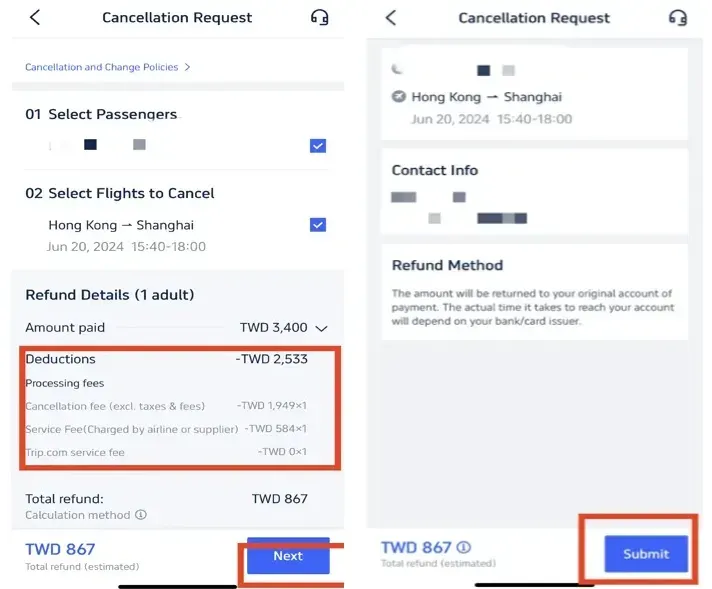
Step 4: Confirm the Trip.com Flight Cancellation
- Review the refund details and confirm any Processing fees associated with cancelling your flights. Then, click "Next" to proceed to the details page.
Step 5: Submit the Trip.com Flight Cancellation
- Verify the refund details and information, then tap "Submit" to complete the cancellation process.
How to Cancel a Hotel Booking on Trip.com
Step 1: Access the Trip.com App
- Log in to your Trip.com account on your mobile device.
Step 2: Find the Hotel Booking
- Navigate to "My Trips -> All Bookings" or “Account -> All Bookings” on the Trip.com app to find your hotel reservation.
Step 3: Request the Trip.com hotel refund
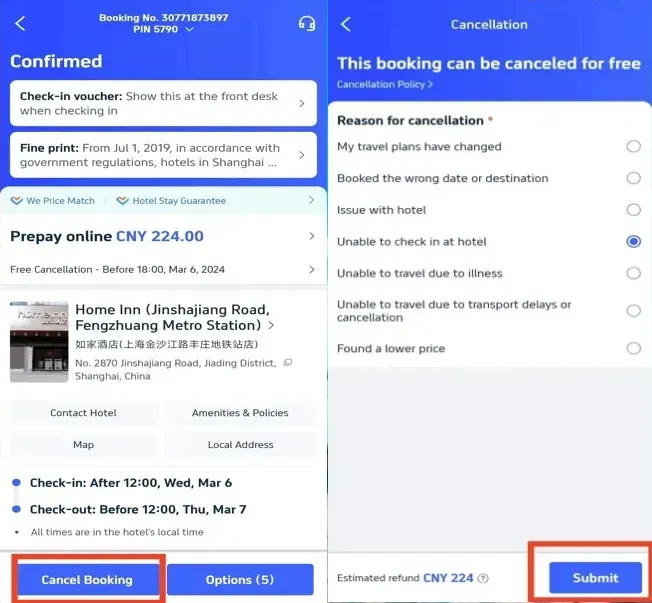
- Tap "Cancel Booking" to initiate the cancellation of your hotel reservation. Note that some hotels may have non-refundable policies, while others might offer a full or partial refund if you cancel by a specific date.
Step 4: Provide a reason for cancellation
- Enter the reason for cancelling your hotel booking and click "Submit" to confirm your cancellation.
Step 5: Confirm the Trip.com hotel refund
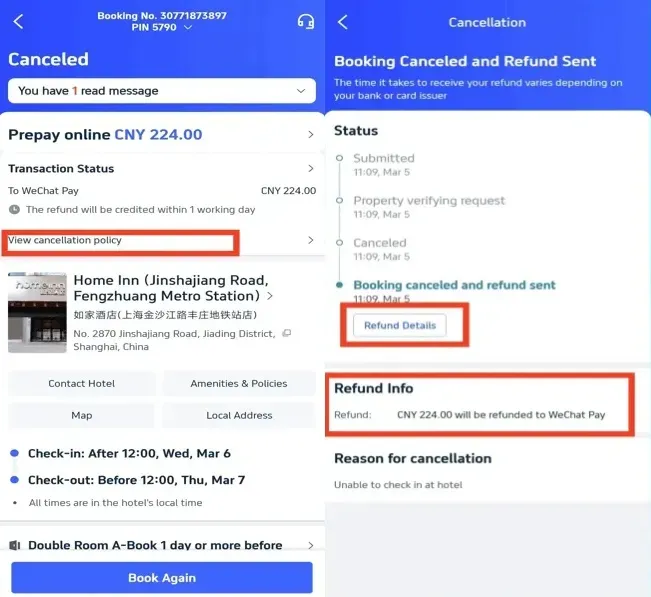
- After submitting your request, click "View cancellation policy" to review the details of your refund.
Step 6: Check your Trip.com hotel refund status
- Review your refund details and status to complete the process.
How to Cancel a Train Booking on Trip.com
Step 1: Access the Trip.com App
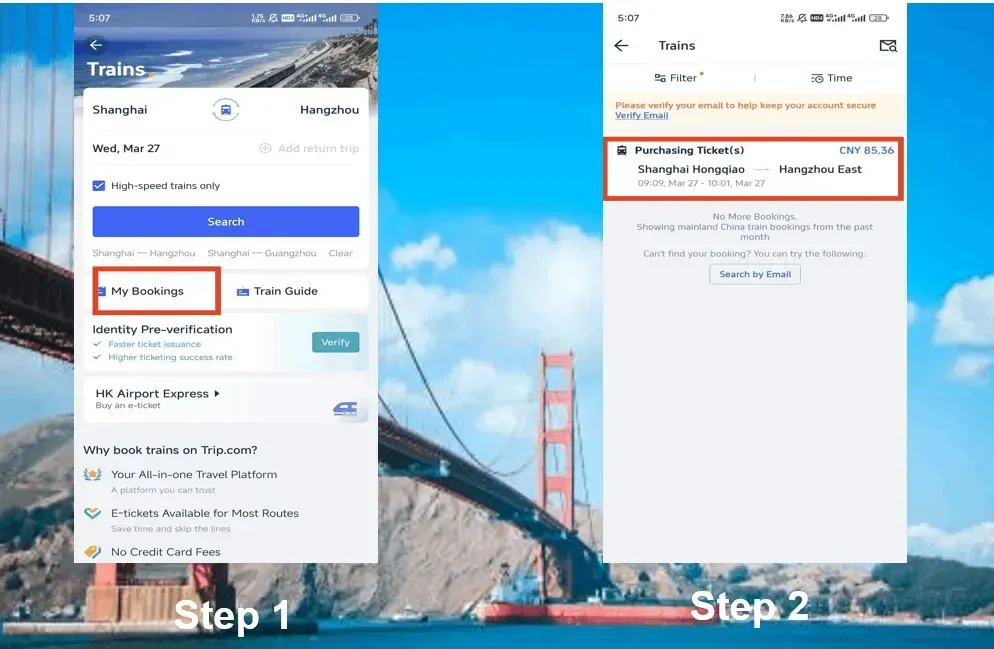
- Log in to your Trip.com account, tap on the "Train" section, then go to "My Bookings" to initiate the cancellation of your train booking.
Step 2: Select the Train to Cancel
- Choose the China High Speed train booking you wish to cancel and click on it to access the booking details page.
Step 3: Request Trip.com Train Cancellation
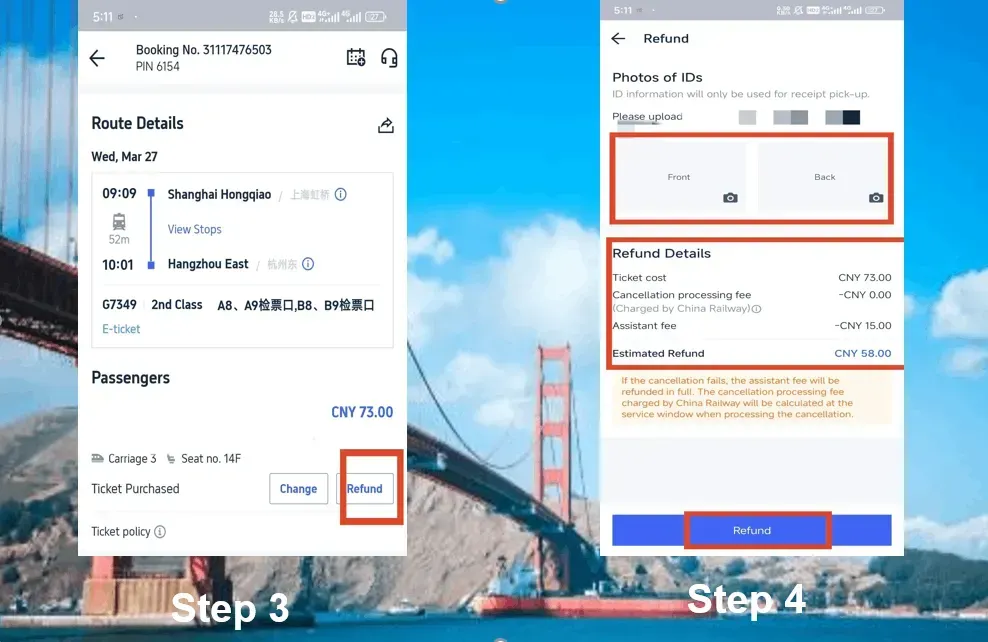
- Tap the "Refund" button to cancel your China High Speed train booking. Please note that a certain assistance fee may be deducted from your refund.
Step 4: Finalise the Train Cancellation
- Provide the front and back of your ID information and review the refund details. Then, click the "Refund" button to complete the cancellation process.
China High Speed Train Refund Fees
The refund fee for China High Speed trains generally depends on how far in advance you cancel your ticket before the train’s departure. Here is an overview of the refund fees:
| Refund Time | Refund Fee |
| More than 8 days | No fee |
| 48 hours-7 days | 5% of the ticket fare |
| 24 hours-48 hours | 10% of the ticket fare |
| Less than 24 hours | 20% of the ticket fare |
Start Your Travel with Trip.com
Trip.com is an international online travel agency providing 24/7 customer service in multiple languages. It offers seamless booking for flights, hotels, trains, and tours and activities. With over 3 bookings, you can enjoy free airport lounge access, earn more Trip coins, save more on hotel bookings, reduce refund fees for trains, etc.
Disclaimer: This article has been provided by an individual contributor or third party platform. If there is any discrepancy regarding the copyright, please contact us directly and we will delete the content immediately.
Trending Searches
-
Popular Airlines