
Pet friendly Hotels in Parana, Brazil
Enter your dates for the latest hotel rates and availability.
Scroll down to see hotels
Filter by:
Hotel Star Rating
≤2345
Guest Rating
Amazing 9+Great 8+Good 7+Pleasant 6+Top Pet friendly Hotels - Parana
Choose your travel dates to see the latest prices
Most Booked
Lowest price
Closest to downtown
Highest Rated
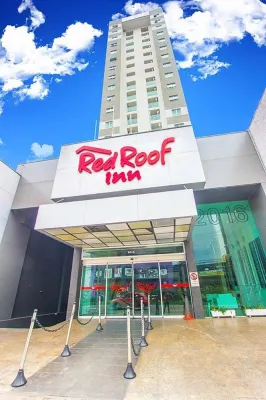



99+
Hotels in Curitiba
Pets allowed (no advance notice needed)
Fee: EUR17.68 per pet per night
Very Good
415 reviews
8.1/10
1 night
From €13






99+
Hotels in Foz do Iguacu
Pets allowed (must be requested in advance)
Pet type: Dog
Fee: EUR40.66 per pet per night
Great
114 reviews
9.3/10
1 night
From €87







99+
Hotels in Jardim Botanico,Curitiba
Pets allowed (must be requested in advance)
Fee: Contact the hotel for details
Very Good
496 reviews
8.2/10
1 night
From €14







99+
Hotels in Maringa
Pets allowed (no advance notice needed)
Pet types: Dogs, cats
Fee: EUR10.61 per pet per night
Great
130 reviews
9.2/10
1 night
From €45



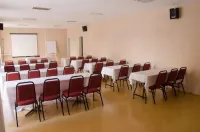
93
Hotels in Curitiba
Pets allowed (must be requested in advance)
Pet types: Dogs, cats
Fee: EUR17.68 per pet per day
Very Good
237 reviews
8.4/10
1 night
From €12


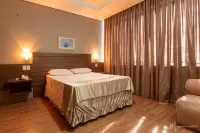

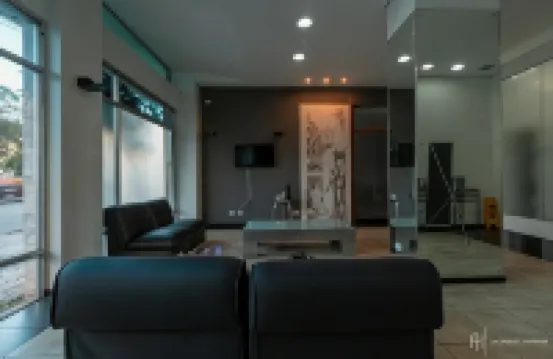
96
Hotels in Curitiba
Pets allowed (must be requested in advance)
Pet types: Dogs, cats
Fee: EUR17.83 per pet per night
Good
176 reviews
7.9/10
1 night
From €16






99+
Hotels in Maringa
Pets allowed (must be requested in advance)
Pet types: Dogs, cats
Fee: Contact the hotel for details
Outstanding
135 reviews
9.8/10
1 night
From €48


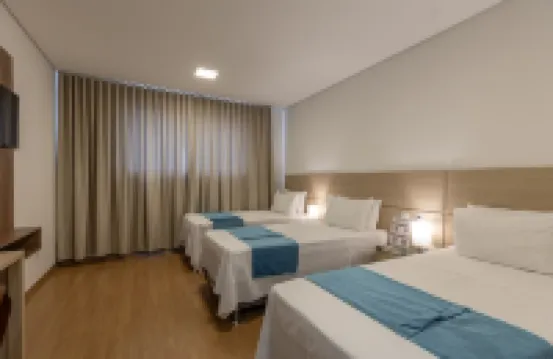




35
Hotels in Barracao
Pets allowed (no advance notice needed)
Pet types: Dogs, cats
Fee: EUR1.94 per room per night
Amazing
72 reviews
9.4/10
1 night
From €63
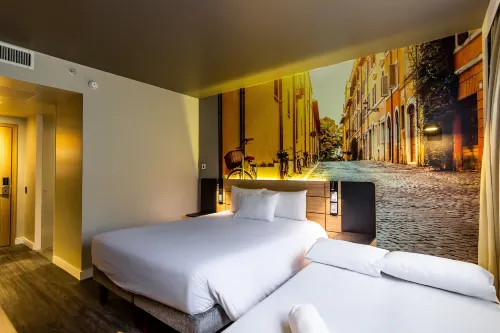






99+
Hotels in Curitiba
Pets allowed (must be requested in advance)
Pet type: Dog
Fee: EUR26.52 per pet per night
Great
87 reviews
9.2/10
1 night
From €74
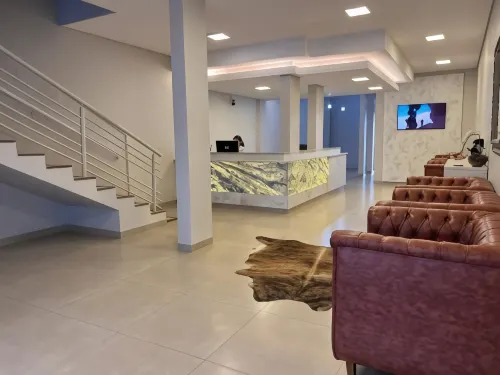


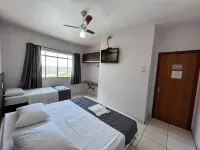
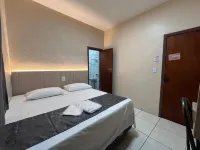


26
Very Good
9 reviews
8.5/10
1 night
From €24
Latest Hotels Reviews for Parana
See all
Hotel Elo Inn
7.8/10
Good
Posted on Sep 1, 2026|Standard Double Twin Apartment
 Guest User
The room was very close to the hospital and I was looking for the nearest place to the hospital that I would be hospitalized on the next day ... only 6 minutes from the site. Super simple bedroom.. old mobiles but good condition ... Negative point only on the parking, where we were informed that the vacancies are by order of arrival , where we did not get , but we were suggested a close parking that left us quiet ...
Price per night from:€12
Harbor Self Cidade Verde
8.1/10
Very Good
Posted on May 12, 2026
Guest UserAt the arrival, the attendant seemed to be making a obligation, no smile of welcome to guests
Television small room d+
Climatization impossible to use, noise qdo connected
Do not close the box door completely, wetting all sides outside the bathroom near the door
It's not enough to offer a attractive price, and to stay uncomfortable.
Price per night from:€20
Odage Hotel
5.3/10
Posted on Sep 27, 2026|Single Room
Guest UserHotel well vintage, at the arrival of a very serious gentleman, did not answer my good day and said that he had no single room available. I said he had already booked and he immediately asked for the data and resolved the problem by putting me in a couple room with bathroom, the room was very clean, a bad bath better than hotels I've already hosted with more stars. The bed was well-trained, the covers had several in a well-old dresser. When I was born I was ready for that dressing... the smell was quiet and I had a good fan... you don't have TV if you like to spend your time with Netflix and or TV did not even have, though I've already seen that there was a pleasant place and if you had a good place at the same time. Your night is good and good, and you are very well communicative and hospitalized and watchful, you always keep your mind and you can be sure you'll sleep safely. The room 405 was very good for me since it had several shows Saturday to Sunday and all the accommodations were exhausted. The electric shower was better than other more expensive hotels. If you are directly without app, R$:120 for couple and R$:60,00 for single. I paid single and they put me in a couple.If you are in CWB and you want to just sleep is quiet and is close to the shopping station. If I come back one day, I turn to the administration of the same change even if it's the details a little, paint what's out of the line, fix the window and go to change until the guest is there at your home.
Price per night from:€12
King Konfort Hotel
7.9/10
Good
Posted on Jun 5, 2024
Mari Monteiro
Atendimento bom e limpeza de roupa de cama e quarto limpo mas o ar condicionado um barulho estrondoso tive desligar pra poder dormir
Price per night from:€37
Frequently Asked Questions
How do I book a hotel on Trip.com?
To book a hotel on Trip.com, simply enter your destination, travel dates, and the number of guests on the page. Then, browse through the available hotels and select the one you want to book. Follow the prompts to enter your payment information and complete the booking.
How do I get hotel deals on Trip.com?
There are several ways to find affordable hotels on Trip.com. You can narrow down your search results by filtering hotels according to your preferred price range, or you can sort the results by price to view the cheapest options first.
Where can I find hotel deals on Trip.com?
Trip.com offers a wide variety of hotel deals and promotions that are available throughout the year. You can easily find these special offers on our deals page. What's more, if you are a member of our loyalty program, you can sign in to your account and discover exclusive discounted rates at hotel list pages.
How can I get lower prices for hotels?
Sometimes booking hotels midweek is cheaper, but it also depends on the season.
How many hotels are listed on Trip.com?
You can find over 1.5 million hotels in more than 230 countries or regions on Trip.com. Haven't decided which hotel to book? Browse our site to get ideas!
Can I cancel or change my hotel bookings on Trip.com?
It depends on the hotel policy and date of cancellation. Please check the policy section of the related hotel pages. To cancel or change your bookings, sign in to your Trip.com account, go to "My Bookings", and follow the instructions.
How do I contact Trip.com customer support?
You can contact Trip.com's 24/7 customer support by visiting the Help Center on Trip.com and submitting a request. You can also contact us by phone or service chat, depending on your location.
Property Information for Tourists
| Total properties | 165 |
|---|---|
| Number of reviews | 556 |
| Weekday Avg. Price | €54 |
| Weekend Avg. Price | €52 |