Why Is Alipay Not Working in China? Troubleshooting & Fix Guide (2026)

By Bethy
July 27, 2026

Why is Alipay not working in China? Learn how to fix foreign card declines, bank fraud blocks, passport verification errors, and personal QR code restrictions fast.
to Shanghai
to Beijing
to Guangzhou
See all flights


Why Is Alipay Not Working in China? Understanding the Problem

Alipay transactions usually fail for international travelers due to bank security blocks, incomplete real-name verification, or technical glitches like network interference. While China’s payment infrastructure supports international credit and debit cards (Visa, Mastercard, Discover, JCB, Amex), anti-fraud algorithms on both the home bank side and the Alipay platform often trigger automatic rejections. Understanding which specific error is blocking your app is the fastest way to get your digital wallet running.
- Bank Security Block: Your home card issuer flags the transaction in China as potential fraud and denies the charge.
- Missing 3D Secure Verification: Your foreign card lacks or failed to process 3D Secure / One-Time Password (OTP) verification required for international online portals.
- Passport Verification Mismatch: The full name on your linked bank card does not match the Machine-Readable Zone (MRZ) on your passport photo submission.
- Network & VPN Interference: Active VPNs routed through restricted servers can cause Alipay's location checks and QR code scanning features to fail.
- Merchant QR Mismatch: Scanning a small street vendor's personal transfer QR code instead of a merchant business code when using an international credit card.
How to Fix Alipay Errors
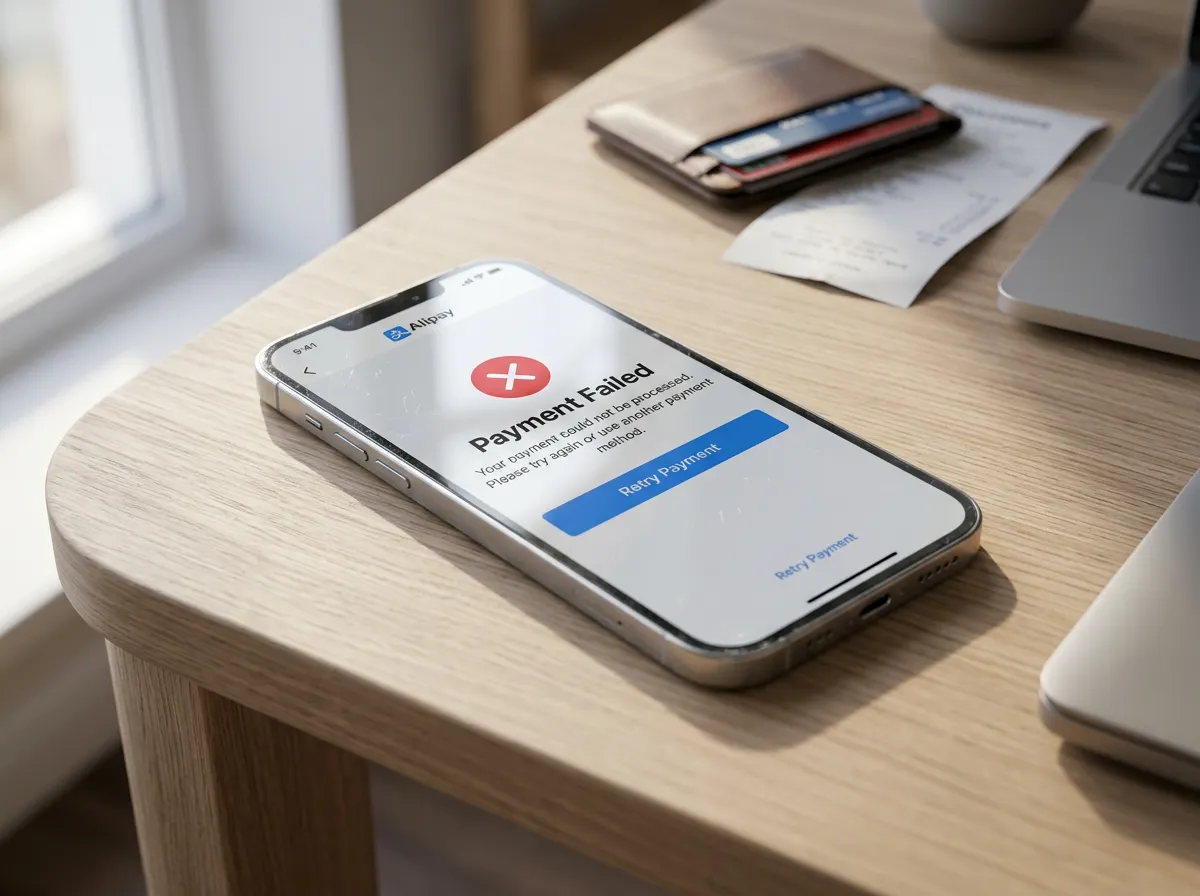
Setting up Alipay requires downloading the standard app, switching to the International Version, verifying your passport, and linking an eligible international card. If your payment fails at a checkout counter, systematically working through app settings, bank permissions, and verification details will resolve over 90% of issues.
Error Message / Problem | Primary Cause | Immediate Fix Steps |
"Payment Declined" / "Card Blocked" | Foreign bank fraud flag or 3D Secure verification failure | 1. Contact your home bank to authorize transactions in China. 2. Enable international/online purchases in your banking app. 3. Bind a backup Visa/Mastercard. |
Passport Verification Rejected | Photo glare, cropped edges, or name mismatch | 1. Retake your passport photo in natural light without glare. 2. Ensure the name field matches your passport MRZ line exactly (including middle names). |
QR Code Won't Scan / App Frozen | Active VPN blocking local servers or weak network data | 1. Turn off active VPNs or toggle Airplane Mode on/off. 2. Clear cache via 3. Ensure roaming data or local eSIM is active. |
"Transaction Exceeds Limit" | Exceeded transaction threshold or merchant limit | 1. Ask the merchant to split the bill into smaller amounts under ¥200. 2. Complete Identity Verification to upgrade limit tiers. |
In-Depth Alipay Failure Breakdown & Troubleshooting Steps
When Alipay fails, the issue typically stems from software glitches, risk control blocks, or merchant-side incompatibilities. Work through these category-specific troubleshooting steps to resolve the failure:
A. Network, App & Software Issues
- Check Data Permissions: Ensure Alipay has full cellular data and Wi-Fi access enabled under
Settings > Apps > Alipay > Mobile Data & Wi-Fi. - Disable Active VPNs: Active VPN connections often cause location mismatch errors. Toggle off your VPN or switch off Wi-Fi when scanning payment QR codes.
- Update & Clear Cache: Update to the latest version via your app store. If the app freezes, navigate to
Me > Settings > General > Clear Cacheor reinstall the app. - System Server Status: If multiple travelers around you experience simultaneous payment drops, Alipay may be undergoing temporary server maintenance. Wait a few minutes and retry.
B. Account & Anti-Fraud Risk Controls
- Security & Location Flags: Unusual login locations, frequent device switching, or rapid successive transactions can trigger security locks. Go to
Me > Customer Center (Help)and search "Lift Restrictions" to submit identity verification or transaction appeals. - Official Hotline Support: If your account remains locked, dial the official Alipay customer service line at +86 571 95188 (or 95188 within China) and request an English-speaking agent to check your account status.
C. Merchant & Payment Route Limitations
- Personal QR Code vs. Merchant Business Code: International cards linked to Alipay can only be used to pay verified business merchants. Personal individual QR codes (commonly used by small street vendors or taxi drivers) will reject foreign card payments. Ask the vendor for a commercial merchant code or switch to cash/WeChat.
- Third-Party App Unbinding: If Alipay fails inside partner apps like Grab or local travel portals, unbind Alipay in the third-party app settings and re-link your account.
Best Alternatives to Alipay If It's Not Working in China
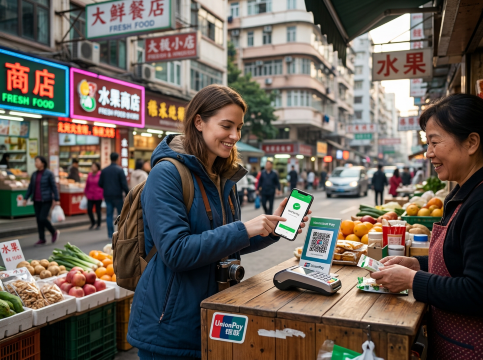
Best Alternatives to Alipay If It's Not Working in China
If Alipay encounters an unresolvable issue, travelers should immediately switch to alternative payment channels available across mainland China. Having at least two payment options active on your phone prevents getting stranded at venues or transportation hubs.
Alternative Payment Method | Setup Difficulty | Best Used For | Key Advantage |
WeChat Pay (WeXin Pay) | Easy | Restaurants, street markets, taxis, messaging integration | Most universally accepted alternative; links directly to foreign Visa/Mastercard. |
Physical Cash (RMB / Yuan) | None | Small merchants, emergency transport, airport shuttles | Merchants are legally required to accept cash in China; useful backup. |
TourCard (Bank of Shanghai) | Moderate | E-commerce, mini-programs inside Chinese apps | Virtual prepaid UnionPay card built inside payment apps to bypass foreign credit card restrictions. |
Physical Credit Card (Visa/MC) | None | Luxury hotels, airport counters, high-end malls | Direct swipe/chip access without needing mobile data or app authentication. |
See all attractions
 950773 booked




Alipay Transaction Fees for Foreign Users in China
AIGC image just for reference
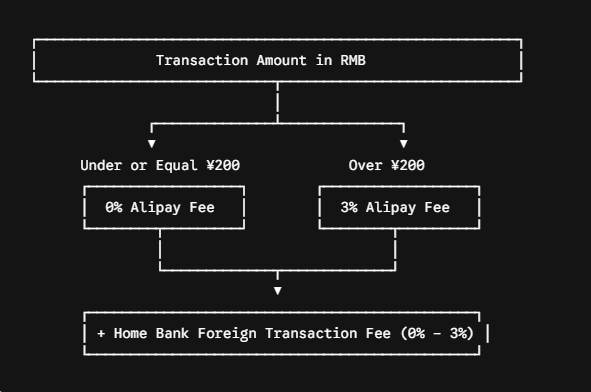
Alipay applies a standardized fee structure when foreign travelers make purchases using bound international credit or debit cards. Small everyday purchases under ¥200 (Chinese Yuan) incur zero transaction fees from Alipay, whereas transactions exceeding ¥200 incur a flat 3% cross-border processing fee. (Info, rates subject to change)
- Transactions ≤ ¥200: 0% fee charged by Alipay. (Ideal for street food, metro, coffee, and short taxi rides).
- Transactions > ¥200: 3% fee applied by Alipay to the total amount.
- Home Bank FX Fees: Your foreign bank may add a separate 1%–3% foreign currency conversion fee unless you use a travel card with no foreign transaction fees.
- Money-Saving Tip: Split larger bills (e.g., dining with a group or buying multiple souvenirs) into multiple smaller payments under ¥200 if the merchant agrees.
How to Set up Alipay for Foreigners
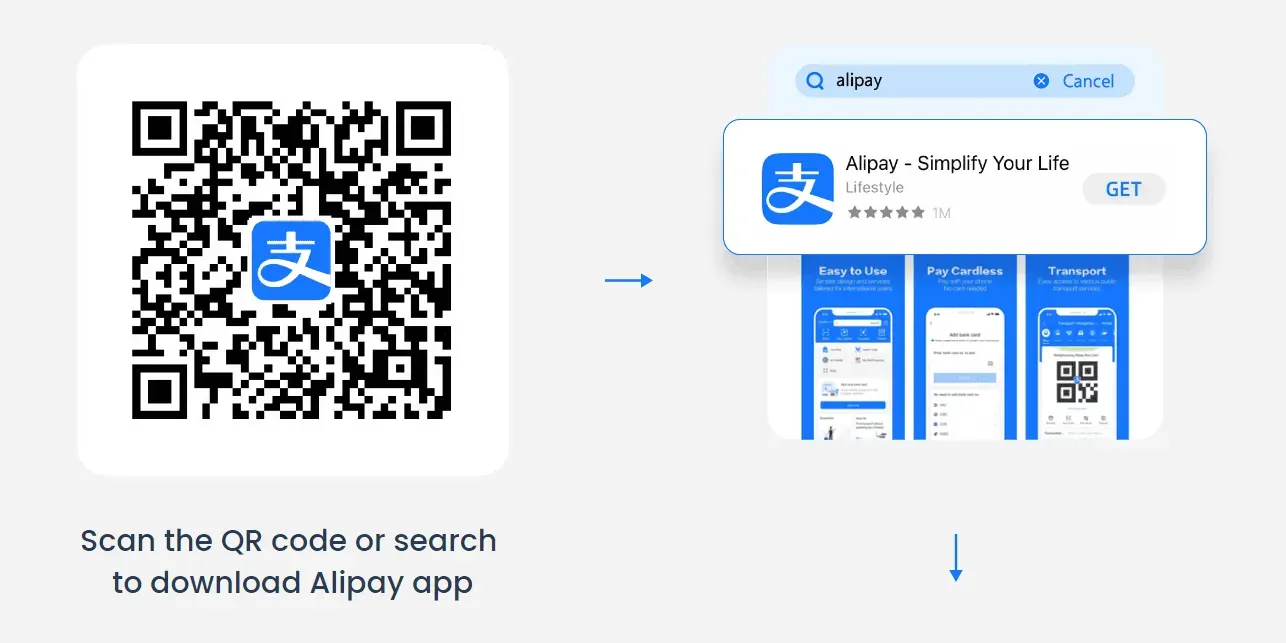
Setting up Alipay is simple. Complete these four core steps before departing to ensure smooth payments upon arrival:
- Step 1: Download & Install App — Download Alipay from the App Store or Google Play and switch to the International Version.
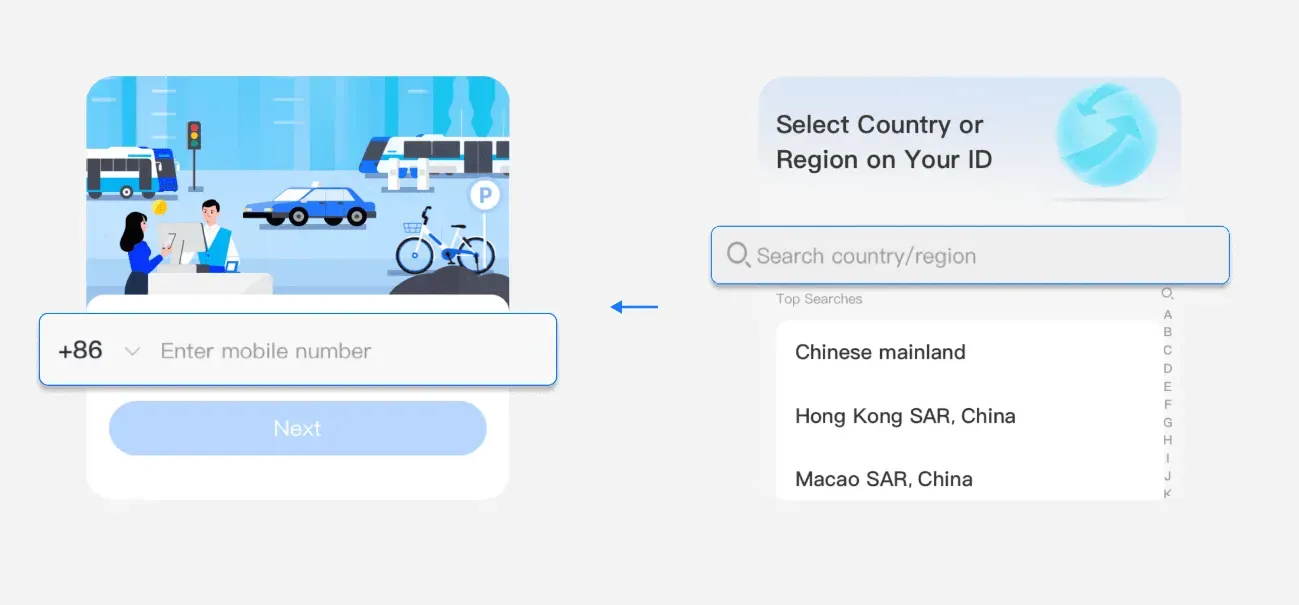
- Step 2: Account Registration — Tap Sign Up and register using your international phone number with your home country code.
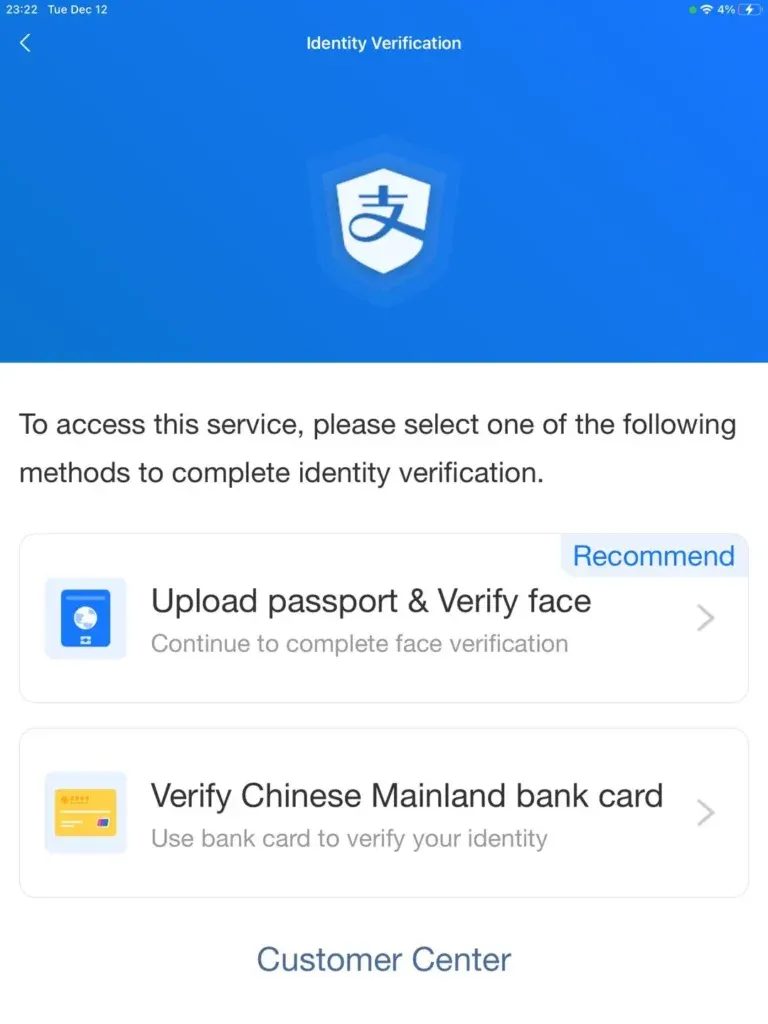
- Step 3: Identity Verification — Go to
Me > Settings > Account & Security > Identity Verification. Upload your passport photo and complete the facial scan.
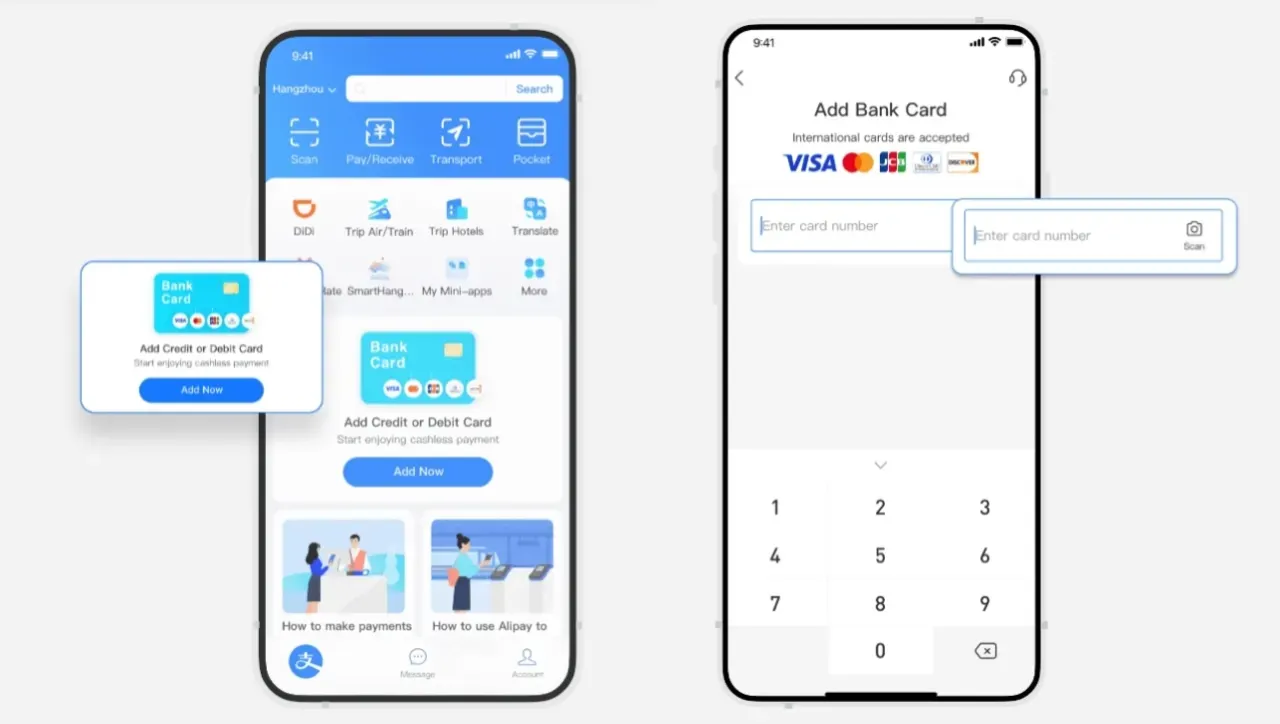
- Step 4: Link Foreign Bank Card — Navigate to
Me > Bank Cards > Add Cardand enter your Visa, Mastercard, JCB, or Discover details. Authorize the 3D Secure OTP text sent by your home bank.

Eligible international cards
Alipay Payment Strategies by Trip Duration
The optimal payment strategy in China depends heavily on whether you are visiting for a short vacation or relocating long-term.
Option A: Short-Term Travelers (15 Days to 1 Month)
- Strategy: Foreign Card Binding + Backup Cash (No local bank account needed).
- Mobile Payments: Set up Alipay and WeChat Pay with foreign Visa/Mastercard cards before arriving. Having both apps guarantees a backup if one network rejects a specific merchant code.
- Transit: Use the Transport tab inside Alipay/WeChat to generate local metro and bus QR codes instantly without buying physical tokens.
- Emergency Cash: Carry ¥200–¥500 RMB in physical cash for rural markets, small stalls, or unexpected app failures.
Option B: Long-Term Residents & Expats (3 Months+)
- Strategy: Local Chinese SIM + Local Bank Account (Eliminates foreign transaction fees completely).
- Get a Local SIM Card: Visit a major China Mobile, Unicom, or Telecom branch with your passport to open a local number. Keep this number active to receive critical SMS verification codes for all financial apps.
- Open a Chinese Bank Account: Visit a major bank (e.g., Bank of China, ICBC, CMB) with your passport, long-term visa (Work Z or Student X1), address registration form, and Tax Identification Number (TIN). Request a Type I (类户) Debit Card.
- Unlock Full Ecosystem: Linking a local debit card to Alipay and WeChat eliminates the 3% foreign card fee, allows peer-to-peer transfers, unlocks red packets (Hongbao), and allows direct account balance top-ups.
Is Alipay Safe to Use in China? Security Tips for Travellers
Alipay is extremely safe, utilizing bank-grade encryption, facial recognition, real-time risk surveillance, and buyer protection protocols. Since you do not hand physical credit cards to merchants in China, using Alipay actually reduces your risk of card skimming and identity theft compared to standard magnetic stripe swipes.
- Security Features:
- Dynamic QR Codes: Payment barcodes expire and refresh every 60 seconds to prevent unauthorized screen captures or re-use.
- Biometric Authorization: Every payment can be set to require Touch ID, Face ID, or a 6-digit payment PIN.
- Automated Fraud Screening: Sudden large transactions flag instantaneous 3D Secure or SMS checks.
- Key Travel Security Precautions:
- Never share payment SMS OTP codes with anyone, including individuals claiming to be customer support.
- Verify merchant names on your screen before entering your 6-digit PIN when scanning static tabletop QR codes.
- Enable App Lock on your smartphone so payment apps cannot be opened if your phone is misplaced.
🔥[Discount] Best China Hotel Recommendations
Top Shanghai Hotels
Top Beijing Hotels
Top Guangzhou Hotels
See All Hotels























FAQs about Alipay Not Working in China
-
Why can't I use Alipay in China as a foreign traveller?
-
Is Alipay safe for foreigners to use in China?
-
Can I use Alipay in China with an Indian bank card?
-
What is the difference between Alipay and Alipay International?
-
How can I avoid the 3% transaction fee when using Alipay in China?
-
What are the best alternatives to Alipay if it is not working in China?
-
Do I need a Chinese SIM card for Alipay to work in China?
Disclaimer: This article has been provided by an individual contributor or third party platform. If there is any discrepancy regarding the copyright, please contact us directly and we will delete the content immediately.
Trending Searches
-
Popular Airlines
-
Popular Cities