Amap (Gaode Map) Guide for Foreigners: Best Google Maps Alternative in China

By Bethy
April 27, 2026

Google Maps rarely works well within mainland China. Slow loading, missing local data and inaccurate locations often complicate daily travel for expats and visitors. Amap (Gaode Map) stands as the most reliable local alternative, built for China’s road networks, transit systems and daily urban needs.
To Beijing
To Shanghai
To Guangzhou
See all flights


What is Amap (Gaode Map)?
Amap, short for AutoNavi Map, is a leading location and navigation platform owned by Alibaba. As one of China’s top official mapping services, it holds certified mapping qualifications and maintains frequent data updates. Its coverage spans every city, town and rural zone across the country.
Beyond basic navigation, it combines transit planning, local business search and daily life services, making it an all-in-one map tool for staying and traveling in China.
Does Amap support English? How to switch languages

English language support is fully available on the standard Amap app. No separate international installation is required. Follow these quick steps to update your interface:
- Open Amap and tap the Me tab in the bottom-right corner.
- Scroll down and open Settings via the gear icon.
- Locate Language Settings in the menu list.
- Select English from the language options.
- The interface refreshes instantly, with all menus, labels and map text displayed in English.
Users can also install an English navigation voice pack inside voice settings. This option works independently, ideal for those who prefer a Chinese UI with English voice guidance.
Amap (Gaode Map) vs Major China Map Apps
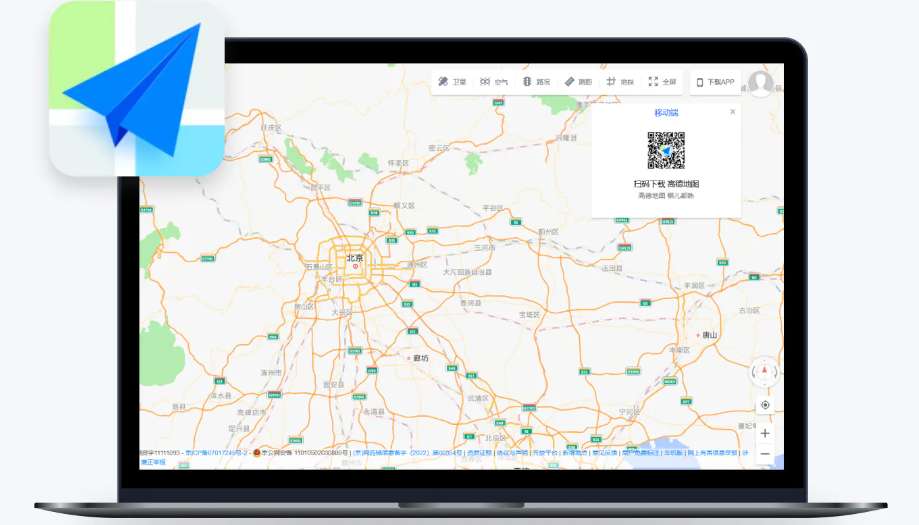
Credit: jet ruby
Three mainstream map apps dominate the Chinese market: Amap, Baidu Maps and Tencent Maps. For foreign residents and travelers, Amap delivers the most balanced experience with stable English localization, precise rural and highway navigation, and simple third-party service integration. Baidu Maps performs better for complex urban overpasses and indoor venue navigation yet offers clunky English settings. Tencent Maps runs lightly but lacks advanced tools and wide regional coverage.
Features | Amap (Gaode Map) | Baidu Maps | Tencent Maps |
|---|---|---|---|
English Interface | Full English menus, labels and voice | Partial English translation | Very limited English support |
Navigation Precision | High, frequent road data updates | Strong for downtown complex roads | Average, weak rural coverage |
Ride-Hailing Service | Native Didi integration, easy booking | Supported with confusing layout | Basic, limited vehicle choices |
Public Transit Info | Full bus, metro and high-speed rail real-time data | Complete transit data, indoor navigation focus | Basic schedules, few live updates |
Offline Map Access | Full city offline download and offline navigation | Available with complicated operation | Restricted offline functions |
Foreigner Friendliness | Beginner-friendly and clear layout | Hard to navigate for non-Chinese users | Not recommended for English speakers |
Standout Practical Features of Amap
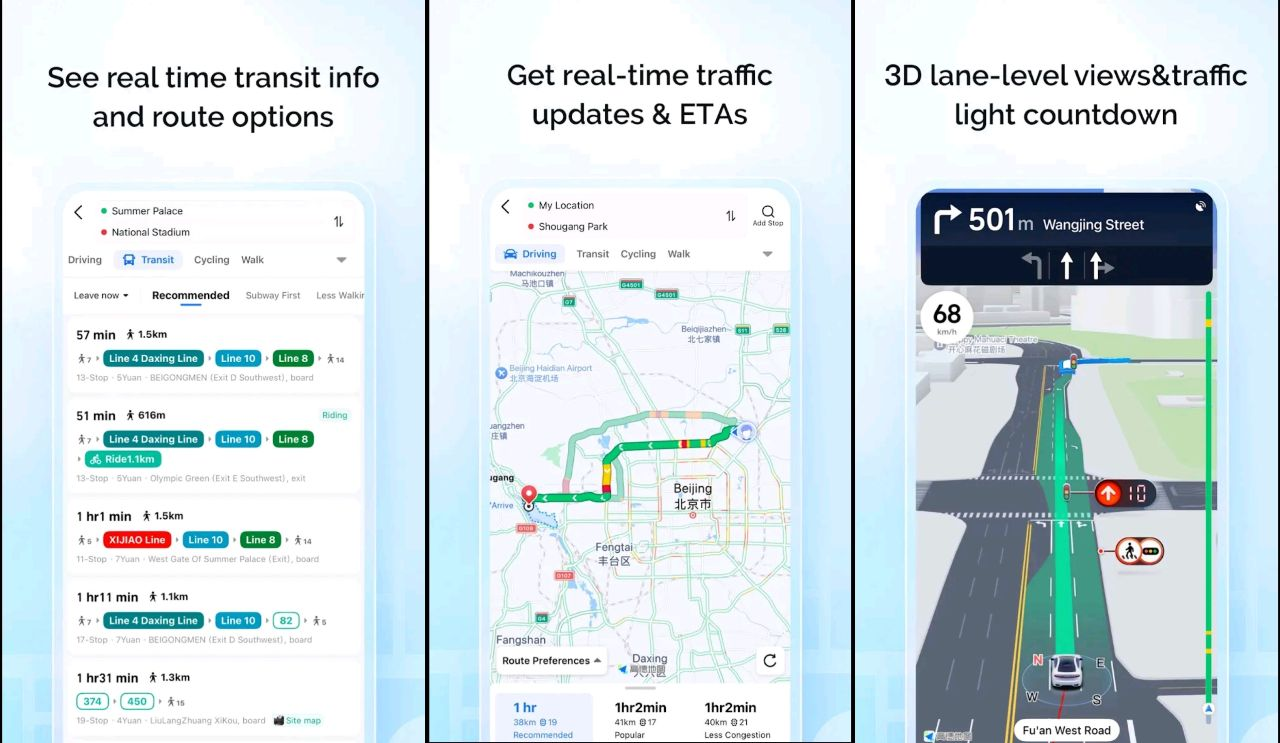
Amap includes many practical tools tailored for local travel, highly useful for foreign visitors.
- Real-time Traffic & Road Safety Alerts
Live road condition markers help users avoid congestion. The system issues road hazard reminders for sharp turns, sudden road changes and high-risk driving scenarios. - Offline Map Navigation
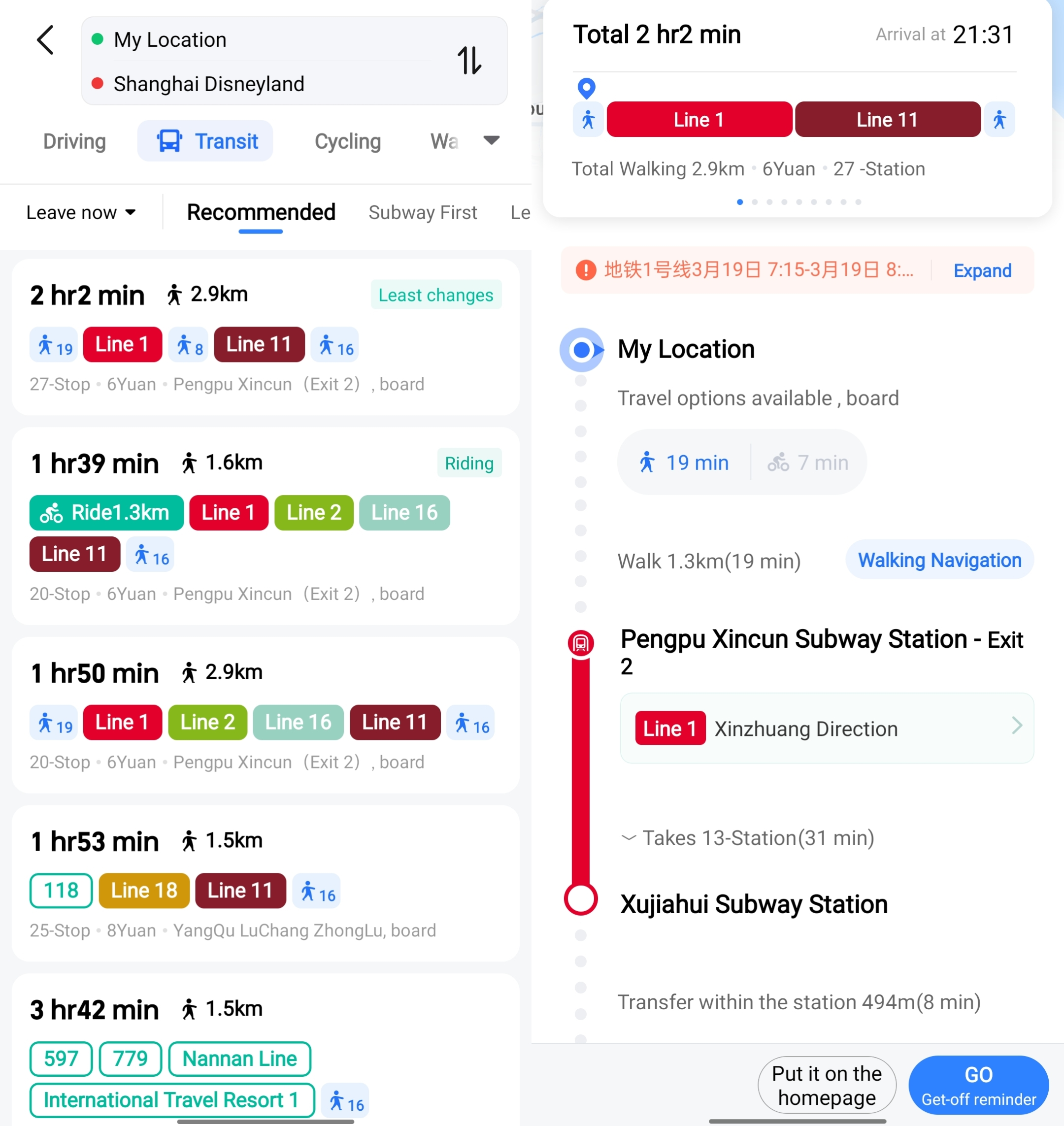
Users can download full offline map packages for individual cities. This function works without mobile data, suitable for remote trips or data-saving travel. - Combined Transit Route Planning
It generates mixed travel plans including walking, bus and metro transfers. It marks exact transfer stops, waiting times and total journey duration to simplify cross-city trips. - Built-in Ride Booking
Local taxi and private car services are embedded directly in the app. Users view fixed fare estimates, driver info and real-time vehicle locations without installing extra software. - English POI Search
Search hotels, airports, restaurants, banks and medical facilities directly in English. Results include opening hours, addresses and user reviews for quick reference. - Customizable Map Display & Voice Guidance
Switch between standard and satellite map views, and download multi-language voice packs for personalized navigation prompts.
See all attractions
 988939 booked




How to Use Amap for Foreigners in China
1. Download and Install
iOS users find Amap on the App Store with the keyword Amap.
Android users download from official Chinese app stores. Global users outside mainland China can install Amap Go from Google Play.
No Chinese phone number registration is mandatory for basic navigation and search tools. Location permission access is required for accurate positioning.
2. Basic Initial Setup
Switch the system language to English following the steps listed above. Enable permanent location access for real-time positioning. Save frequent destinations such as accommodation or workplaces to favorites for faster route search later.
3. Basic Navigation Usage
- Tap the Route button on the homepage.
- Input your destination in the search bar; English input is fully supported.
- Select your travel mode: driving, walking, public transit or cycling.
- Adjust extra preferences like toll-free roads or highway avoidance for driving routes.
- Tap Start to launch real-time voice and on-screen navigation.

4. In-App Ride Hailing
- Select the ride icon on the main interface.
- Confirm your current pickup location or adjust the pin manually.
- Fill in your final destination.
- Choose vehicle types including economy cars, official taxis or shared rides.
- Check upfront pricing rules and confirm your order.
- Track driver movement in real time and complete payment via mainstream local mobile wallets or cash for regular taxis.
[10% Off] Best China Hotel Recommendations
Top Shanghai Hotels
Top Beijing Hotels
Top Guangzhou Hotels
See All Hotels























FAQs about Amap
-
Do I need a Chinese phone number to use Amap?
-
Can I use Amap outside of China?
-
Is Amap free to use?
-
Can I search for places in English?
-
How accurate is Amap’s navigation?
Disclaimer: This article has been provided by an individual contributor or third party platform. If there is any discrepancy regarding the copyright, please contact us directly and we will delete the content immediately.
Trending Searches
-
Popular Airlines
-
Popular Cities