
Best Translation App for China: What Works Without a VPN 2026

By Bethy
September 9, 2026

Best translation apps for China: Baidu Translate, Microsoft Translator and Youdao, plus WeChat and Alipay built-in tools — which ones really work without a VPN.
to Shanghai
to Guangzhou
to Beijing
See all flights


What are the Best Translation Apps for China?
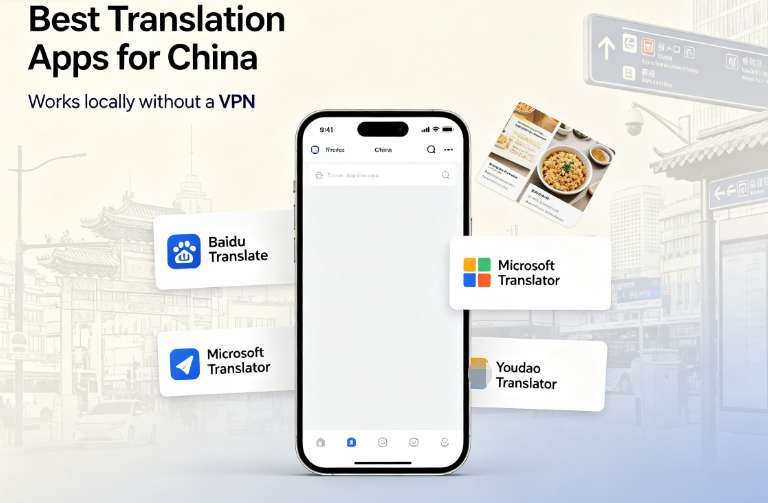
The first app that fails you in China is usually the one you rely on at home. Google Translate is blocked on the mainland without a VPN, and so is most of the Western lineup around it. The practical workaround is to use China's own translation apps — Baidu Translate, Youdao and Microsoft Translator all run on any local network with no VPN needed, and between them they cover text, camera and voice well enough to get through a trip.
This guide sorts them by job: which app for everyday text, which for menus and signs, which for actually talking to someone, and which ones keep working when your phone has no signal at all.
What you need | Top pick | Also good |
|---|---|---|
Everyday text translation, no VPN | Baidu Translate | Microsoft Translator, Youdao Translator |
Reading menus, signs, screenshots | Baidu Translate (camera) | Youdao, WeChat scan |
Talking to a taxi driver or hotel staff | Microsoft Translator (conversation mode) | iFlytek (Xunfei), Tencent Translator |
No signal / airplane mode | Apple Translate (offline) or Microsoft Translator (offline pack) | Pleco |
Long text, tone and document quality | Doubao or DeepSeek (inside China) | DeepL (outside China) |
Translation Built Into WeChat and Alipay

Credit: International Services Shanghai
You will install WeChat and Alipay anyway — one for messaging and paying, the other for paying — and both now carry translation and text-recognition tools of their own. For quick jobs they save you from opening a second app. Quality is solid on clean printed Chinese and less reliable on stylized fonts, handwriting and blurry photos.
- WeChat — translate any chat message. Press and hold a message in a conversation and tap Translate. The app swaps it between Chinese and your language on the spot, which covers most hotel, host, taxi and shop chats without installing anything else.
- WeChat — text recognition (提取文字). Open Scan (扫一扫) inside WeChat and look for the extract-text and translate icons — their position shifts between app versions. Point the camera at a menu or a printed notice and WeChat copies the characters out of the image so you can read or translate the result. This handles long text better than the instant camera translators, which often mash a whole page together.

Credit: International Services Shanghai
- Alipay — the translate icon. Alipay keeps a small translate button inside the app (usually reachable by searching 翻译, or from the scan menu) that covers camera and voice translation. It is genuinely handy at the till: receipts, product labels, quick exchanges with shop staff.
- The catch: both occasionally return garbled characters instead of a clean translation, most often on decorative fonts, handwriting or low-light photos. When the result looks wrong, double-check it in Baidu Translate or Microsoft Translator instead of trusting it.
Bottom line: use the built-in tools for speed — a chat reply or a shop-counter exchange — and switch to a dedicated app whenever accuracy matters or the text on screen is stylized.
Can You Use Google Translate in China?

Google Translate is the app most travelers know best — and the one most likely to fail them in China. Its online services are blocked on standard Chinese internet, so on local Wi-Fi or a local SIM card, translate.google.com and the app's online mode simply will not load. That is the reason every other app in this guide exists.
When it works
- With a stable VPN (China bans VPN, please use it before you enter China), everything behaves like at home: text, voice and camera translation. If you already run a reliable VPN for other Google apps, Translate is a perfectly good main translator.
- Offline packs are the exception. Download Simplified Chinese before you travel and Translate keeps translating text with no network connection at all — no VPN involved. Voice and camera modes, however, still need to be online.
- A foreign SIM on roaming, or an international eSIM, often works too, because your data routes through your home network rather than the Chinese one. Quality and speed depend on your carrier.
See all attractions
 988939 booked




China Translate App - All-Round Translators for Everyday Use

The three apps below are the safe defaults for China travel. Each combines text, camera and voice in one screen, works without a VPN, and is free at the level a traveler needs.
- Baidu Translate (百度翻译) — the strongest local engine for Chinese itself: it handles slang, idioms and menu phrasing better than any foreign app, and shows pinyin under translations so you can attempt pronunciation. Camera mode is excellent on menus and signs. The interface is partly in Chinese, but the core Camera, Voice and Text buttons are easy to find. Free with ads.
- Microsoft Translator — the cleanest English-language interface of the group, and the best foreign app inside China since it does not need a VPN. Its split-screen conversation mode (two people share one phone, each side reads their own language) is genuinely useful, and offline packs make it a backup when data drops. Camera accuracy on stylized or handwritten Chinese is weaker than Baidu's. Free, no account required.
- Youdao Translator (有道翻译官) — made by NetEase and the pick of Chinese students for documents and nuanced text. Its OCR is strong for taking photos of printed pages and receipts, and it gives dictionary-style detail when a word has several meanings. Expect more ads and Chinese clutter in the interface. Free version is fine for travel.
China Translate App - Camera Translation: Menus, Signs and Screenshots

Handwriting aside, the most common translation task in China is pointing your camera at something — a menu board, a platform sign, a receipt. All three all-rounders do this, but the rankings change slightly here.
- Baidu Translate (camera mode) — the most reliable for real-world Chinese: stylized restaurant signs, calligraphy-style logos and vertical text all come through better than on other apps. Point, tap, and it overlays the translation on the image.
- Youdao Translator (document scan) — the best choice for a full printed page or a photo of a PDF, since its OCR keeps layout and gives you word-level detail. Good for scanning a hotel notice or a medication label and reading it properly.
- Microsoft Translator (camera mode) — worth having as the English-UI alternative when you want a clean, ad-free screen. It struggles more with decorative fonts, so treat it as the backup rather than the primary scanner.
A shortcut worth knowing: WeChat's built-in scan (扫一扫 → Translate) translates whatever is in the camera frame without installing anything else — handy because you will use WeChat for payments anyway. Alipay has a similar translate option inside its app.
China Translate App - Voice Interpreters for Real Conversations

For talking to a taxi driver, a hotel front desk or a train-station officer, typing works but speaking is faster. These apps handle two-way spoken conversation.
- Microsoft Translator (conversation mode) — splits the screen into two language panels and translates each side's speech automatically. Pass the phone back and forth (or set it on the counter between you) and the conversation flows. Works fine on Chinese networks.
- iFlytek (Xunfei / 讯飞) translator apps — iFlytek is China's speech-recognition leader, and its translation apps (search 讯飞翻译 in the app store) have the strongest Chinese voice recognition of the group, including faster handling of numbers, addresses and names. Widely used in Chinese hotels and travel counters.
- Tencent Translator (腾讯翻译君) — a lighter, free alternative with solid voice and text translation and a very simple interface. Good as the second opinion when the other apps stumble on an unusual phrase.
China Translate App - Offline Translators for No-Signal Moments

Credit: International Services Shanghai
Subway tunnels, remote scenery and airplane-mode stretches all kill online translation. The rule: download the language packs before you arrive, while you still have good Wi-Fi.
- Apple Translate (iPhone, on-device) — if you have an iPhone, the built-in Translate app supports Simplified Chinese fully on-device: download the Chinese (Mainland) pack, switch on On-Device Mode, and it never touches the network. Availability varies by device region, so confirm the app is present before you travel.

- Pleco — not a translator but the essential offline Chinese-English dictionary. Its core dictionary works with zero connection, and paid add-ons add camera OCR and audio. The right tool when you need to actually read a character rather than get a one-line guess.
China Translate App - AI Chat Translators for Long Text and Tone

Word-for-word apps flatten nuance. When you need to write a polite email to a hotel, read a long notice, or check whether your phrasing sounds natural, an AI chat app gives much better results than a dictionary-style translator.
- Doubao (豆包, ByteDance) — China's most popular AI assistant, free and strong at translating longer text with natural Chinese phrasing. It can also read back and explain. Registration usually needs a mainland phone number.
- DeepSeek — a Chinese AI chat app with excellent translation quality, especially for technical or formal writing. Same practical hurdle: most accounts require a mainland phone number and the interface is Chinese-first.
- DeepL — still the quality benchmark for Chinese↔English documents, and it supports both Simplified and Traditional Chinese. The catch: its servers are unreliable inside China without a VPN, so treat it as the before-and-after-trip tool for translating documents at home, not the daily driver on the ground. ChatGPT and Gemini face the same access problem inside China, so leave them for use with a VPN.
Practical setup before you fly: install Baidu Translate as your default, add Microsoft Translator with the Simplified Chinese offline pack downloaded, and put Pleco (or Apple Translate) on the phone for offline moments. That combination covers a menu, a taxi ride and a dead-signal zone without ever touching a VPN.
🔥[Discount] China Hotel Recommendations
Top Shanghai Hotels
Top Beijing Hotels
Top Guangzhou Hotels
See All Hotels























FAQs about China Translate App
-
Is Baidu Translate free to use for Indian travellers?
-
What is the best translator to use in China without a VPN?
-
Which app is used in China instead of Google Translate?
-
Which China translate app is the most accurate for English to Chinese translation?
-
Do I need a VPN to use a China translate app?
-
Is there a China translate app that works offline?
-
What is the best China translate app for Android users in India?
-
Can I use a China translate app on my iPhone while travelling in China?
Disclaimer: This article has been provided by an individual contributor or third party platform. If there is any discrepancy regarding the copyright, please contact us directly and we will delete the content immediately.
Trending Searches
-
Popular Airlines
-
Popular Cities