Trip.com Payment Methods: How to Pay on Trip.com?

By Trip.com
March 12, 2026
Trip.com offers many payment methods to give global customers diverse preferences. Check each Trip.com payment method here, including credit/debit cards, PayPal, and other digital wallets, along with steps and useful tips.💰
See all flights


Overview of Payment Methods on Trip.com
Payment Method | iOS | Android | Desktop Web | Mobile Web |
Credit Card & Debit Card | ✔️ | ✔️ | ✔️ | ✔️ |
✔️ | ✔️ | ✔️ | ✔️ | |
PayPal | ✔️ | ✔️ | ✔️ | ✔️ |
Google Pay | ❌ | ✔️ | ✔️ | ✔️ |
Apple Pay | ✔️ | ❌ | ❌ | ❌ |
Trip Coins | ✔️ | ✔️ | ✔️ | ✔️ |
Gift Card | ✔️ | ✔️ | ✔️ | ✔️ |
How to Pay on Trip.com | Credit Card & Debit Card
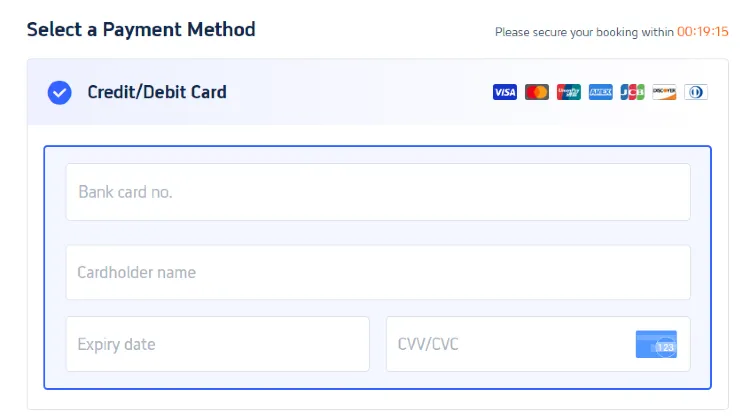
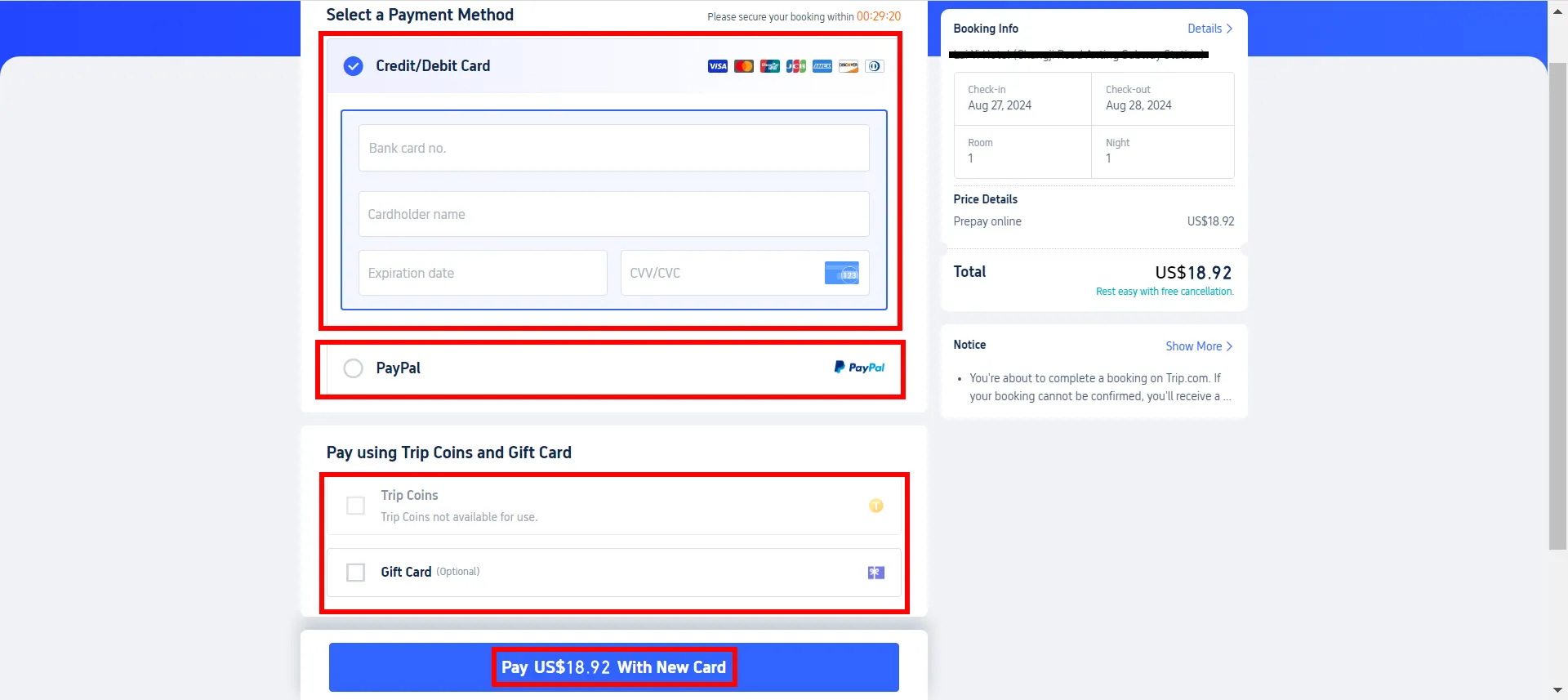
Credit and debit cards are the most widely used payment methods on Trip.com and are accepted on all platforms (iOS apps, Android apps, desktop and mobile networks). Trip.com supports all major card providers to ensure global access.
Accepted Card Types: Visa, Mastercard, American Express (Amex), JCB, UnionPay, Discover, and Diners Club International (available on desktop web).

【Steps to Pay with Credit/Debit Card】
- Select "Credit/Debit Card" as your payment method.
- Enter the holder's name, card number, expiration date and security code (CVV for Visa and MasterCard, located on the back near the signature box; CVC for American Express, located on the front above the card number).
- Confirm your payment details and submit the transaction.
How to Pay on Trip.com | Digital Wallets
Digital wallets provide a fast, contactless payment experience without having to re-enter card details for each transaction. Compatibility varies by device, ensuring convenience for iOS and Android users.
How to Pay on Trip.com | PayPal

PayPal is available on almost all platforms. When selecting "PayPal" at checkout, you will be redirected to the PayPal login page, log in to your PayPal account, and approve the payment to complete the transaction.
【Steps to Pay with PayPal】
- Select PayPal on the payment page.
- You will be redirected to the PayPal login screen.
- Log in to your PayPal account and authorize payment.
How to Pay on Trip.com | Google Pay

Google Pay is a convenient option for Android users, enabling you to use credit, debit, or prepaid cards stored in your Google account.
【Steps to Pay with Google Pay】
- Add your preferred card to Google Pay.
- On the payment page of the Trip.com App, select Google Pay.
- Follow the prompts to complete the payment.
How to Pay on Trip.com | Apple Pay
Apple Pay is only for iOS devices (iPhone, iPad). Make sure your card has been added to Apple Pay, select "Apple Pay" at checkout, authenticate (via Face ID, Touch ID, or password), and then confirm payment.
How to Pay on Trip.com | Trip Coins
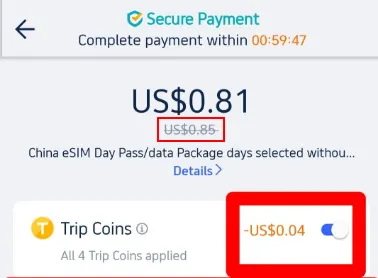
Simply put, Trip Coins are part of Trip.com’s rewards programme for its members, offering a way to earn discounts through various activities such as booking hotels and flights, writing reviews, and sharing your travel experiences on Trip Moments. 😋 You can use Trip Coins to reduce costs on most bookings made through Trip.com, including hotels, flights, local experiences, train tickets, airport transfers, and car rentals. 🎁
【Steps to Use Trip Coins】
- Select a Service: Choose from hotels, flights, local experiences, or other available services on the Trip.com homepage.
- Booking Process: Proceed to the payment page after selecting your desired service.
- Apply Trip Coins: Click the Trip Coins button before finalising the payment. The system will display the discount you can receive with your available Trip Coins.
- Complete Payment: Finalise the booking with the adjusted amount after applying your Trip Coins.
Discover how to collect and use Trip Coins to enjoy even more benefits.
Trip Coin Value | Application Examples |
100 Trip Coins = US$1 | Redeemable across various services without any minimum threshold. |
💰How to Earn Trip Coins on Trip.com

As a frequent Trip.com user, I love the perks that come with earning Trip Coins! It's super simple: Every time you book-whether it's a hotel, air ticket, train ticket, attraction pass, or even airport transfer-you get travel coins, which you can use to get a discount on the next booking.
The more you book, the higher your membership level climbs, and the more Trip Coins you can earn. Here’s how it works:
- Booking benefits: Every time you book a hotel stay, flight, train ticket or attraction on Trip.com, you will have more travel coins in your pocket. With each new level, your reward rate for these coins will increase!
- Share your travel stories: By sharing your travel stories and experiences through travel moments, you can earn more travel coins. Write a quick review or take a photo and you will get more rewards.
- Member Level: When you upgrade from Silver to Black Diamond, you will receive more Trip coins for every booking!
Perk Category | Silver | Gold | Platinum | Diamond | Diamond+ | Black Diamond |
|---|---|---|---|---|---|---|
Trip Coins Earning Bonus | Base Rate | +20% | +50% | +100% | +150% | +200% |
Trip.com membership offers a range of impressive benefits that can enhance your every trip: earn more travel coins, receive exclusive hotel and flight discounts, enjoy VIP lounge access, and even get free attractions tickets.
Every membership level, silver, gold, platinum, diamonds and black diamonds, is built on top of these benefits, and as travelers increase their bookings, they receive better rewards.
How to Pay on Trip.com | Gift Cards
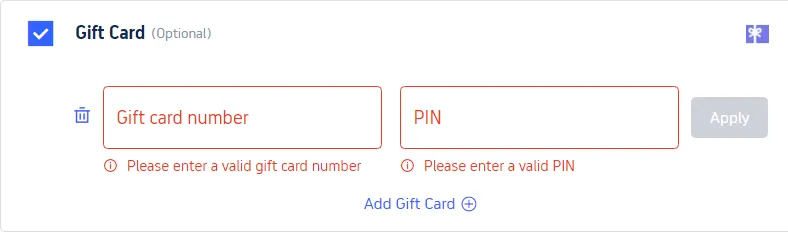
If the balance is insufficient, the Trip.com gift card can be combined with other payment methods.
【Steps to Pay with Gift Cards】
- Select the "Gift Card" option during the payment stage.
- Enter the gift card number and PIN.
- If the gift card balance is insufficient to cover the full amount, you can use other payment methods to pay the remaining balance.
How to Pay on Trip.com | Pay Later Option
Trip.com offers free cancellation + deferred payment options for eligible bookings rather than traditional installment loans.
This allows travelers to first secure the reservation and complete payment within a specified time, as long as the reservation is cancelled within the free cancellation period, at no additional charge.
Trip.com Payment Security - Is it Safe to Pay on Trip.com?
Trip.com puts the security of user payments and personal information first, implementing industry-leading measures to protect transactions from fraud and data breaches.
- Encryption technology: Use PCI DSS (Payment Card Industry Data Security Standard) certification and HTTPS encryption to protect card details and personal data, ensuring all transactions are secure and comply with global security standards.
- A trustworthy partner: Work with reputable payment providers (major card companies, PayPal, Apple Pay, Google Pay) to provide an additional layer of security and dispute protection.
- Anti-fraud measures: Conduct necessary anti-fraud and anti-money laundering inspections to prevent unauthorized transactions and protect users and platforms.
See all attractions
 2548 booked






Easy Travel with Trip.com!

Trip.com is a global online travel agency that provides round-the-clock customer service in multiple languages. It makes it easy to book flights, hotels and a range of tours and activities. By booking 3 or more times, users can enjoy free airport lounges, earn more travel coins, save more on hotel bookings, reduce train refunds, etc.
[10% Off] Trip.com Hotel Promo Codes
Search Top Global Hotels
See All Hotels







FAQs about Trip.com payment
-
What payment methods does Trip.com accept?
-
Is Trip.com payment secure?
-
Can I use multiple payment methods for one booking?
-
How do I get a refund for a Trip.com payment?
-
Can I pay in a currency other than my local currency?
Disclaimer: This article has been provided by an individual contributor or third party platform. If there is any discrepancy regarding the copyright, please contact us directly and we will delete the content immediately.
Trending Searches
-
Popular Airlines