Trip.com Contact - Phone Number, Free Call & Human Chat

By Bethy
May 25, 2026

Find the official Trip.com contact phone numbers for India and global regions. Learn how to use free in-app calls and reach live human chat 24/7.
See all flights


Trip.com Contact - Official Phone Numbers (Always Up‑to‑Date)
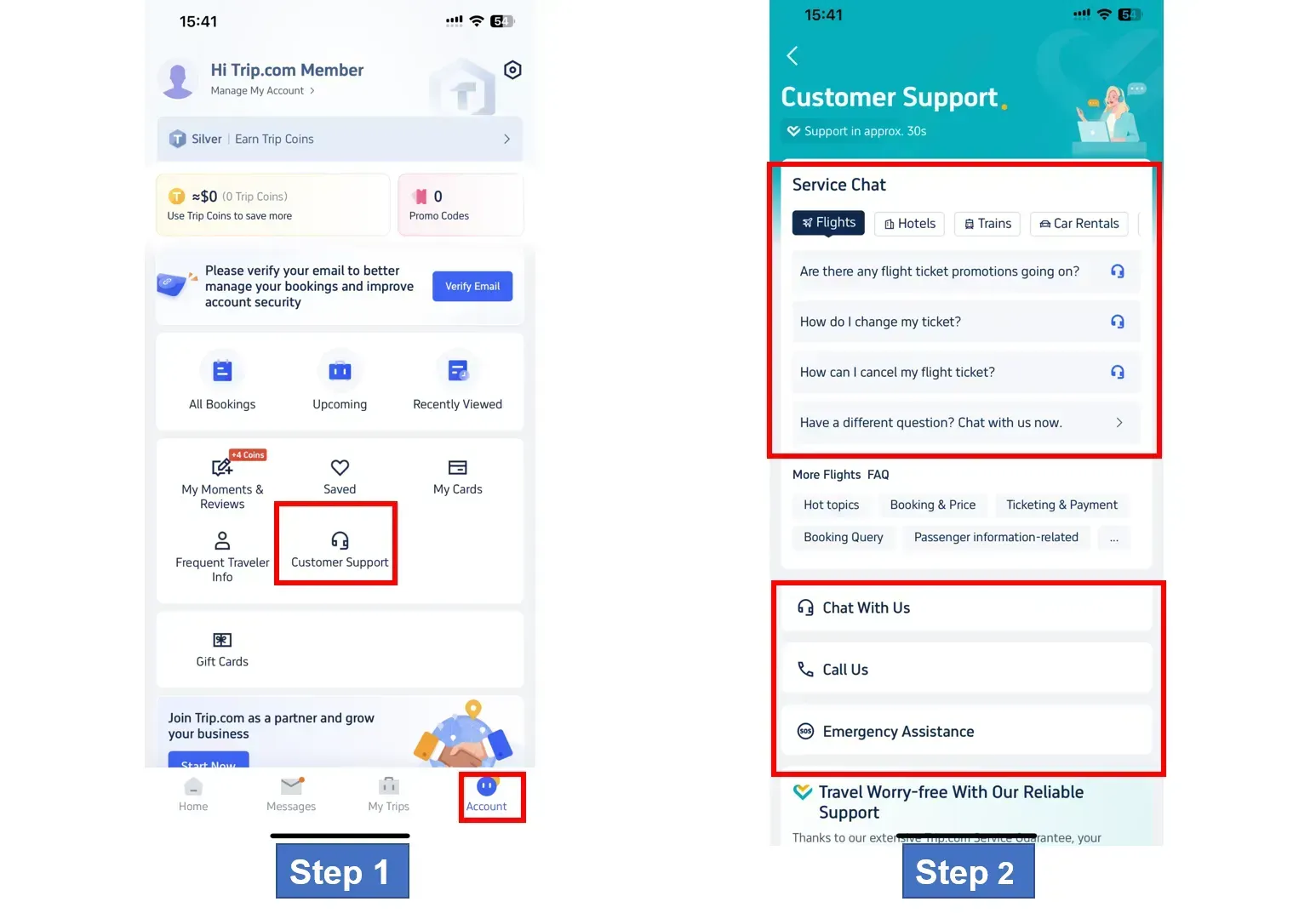
Trip.com provides 24/7 customer service across 40+ countries and regions, with support in 40 languages. Most travel services (flights, hotels, trains, car rentals) are available round‑the‑clock, while other bookings follow 09:00–02:00 GMT+8.
For the latest Trip.com Global & India phone numbers and details 👇
- Global site: https://www.trip.com/help/
- India site: https://in.trip.com/help/
How to Find Trip.com Contact Numbers for All Regions
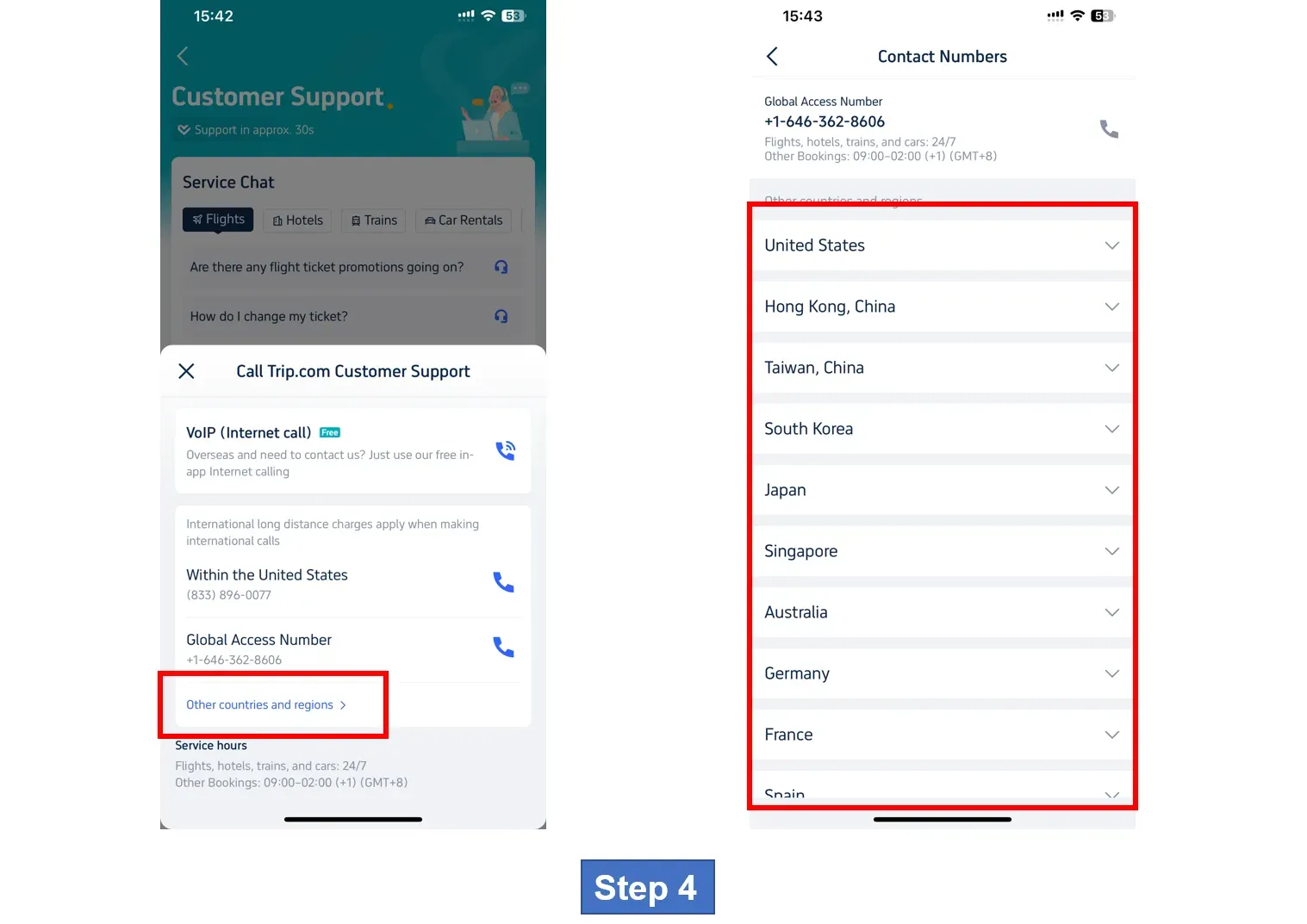
If you are looking for a specific number for a different country (such as the USA, Singapore, or the UAE), follow these steps:
Via the Trip.com Website (Desktop)
- Visit the official Trip.com Help Center.
- Scroll to the "Contact Us" section at the bottom of the page.
- Click on "Call Us".
- Select "Other countries and regions" from the dropdown menu to see a full list of local numbers and operating hours.
Via the Trip.com App
- Open the app and tap "Account" (bottom right).
- Tap on "Customer Support".
- Select "Call Us". Here, the app will automatically suggest the best number based on your current location.
Trip.com Contact - How to Make FREE In‑App Calls
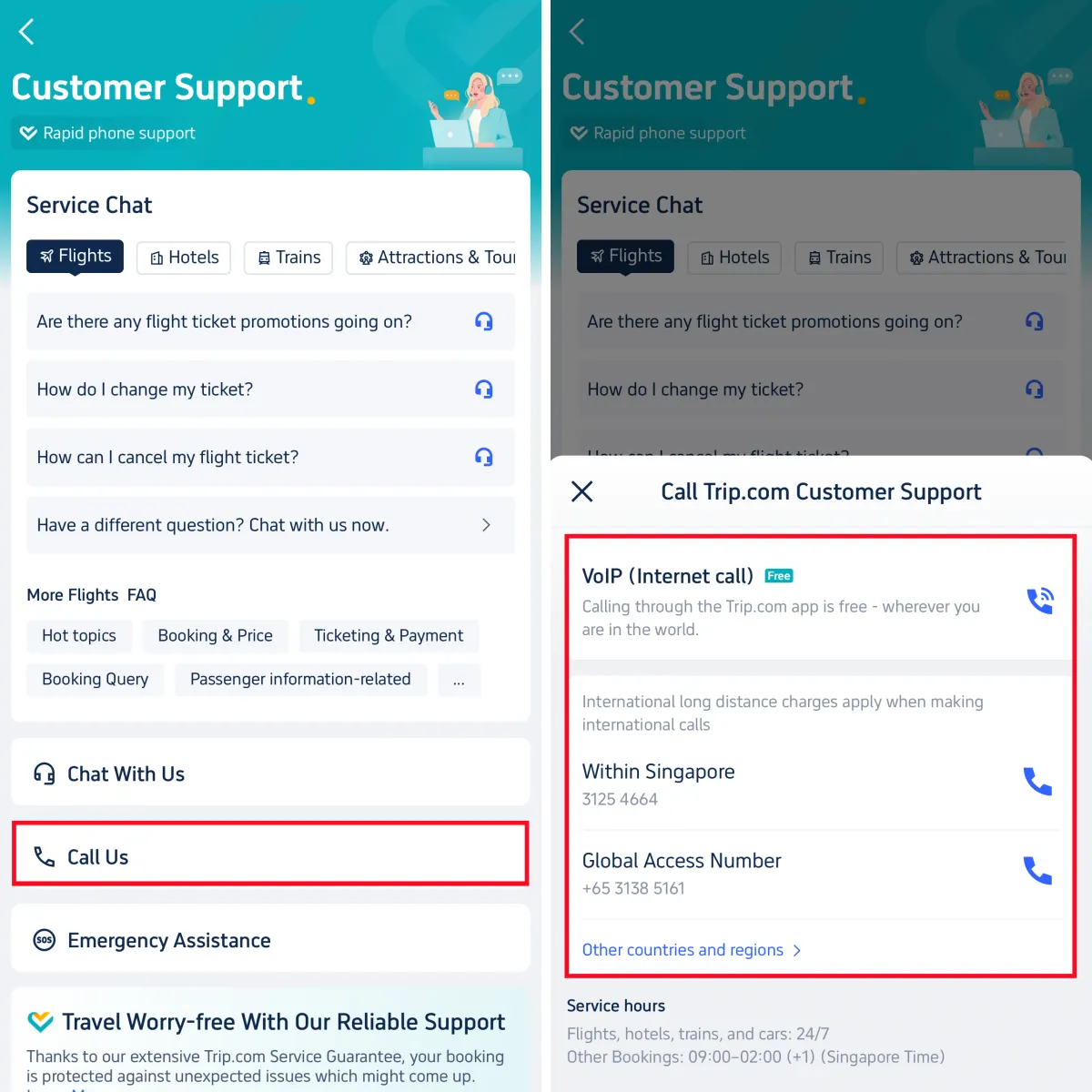
The VoIP/Internet Call feature inside the Trip.com app is 100% free for all users globally—including India.
- Uses Wi‑Fi or mobile data, no extra phone charges
- No international long‑distance fees
How to use:
- Account → Customer Support → Call Us
- Select VoIP (Internet Call)
- Connect to an agent instantly for free
Trip.com Contact - How to Chat with a Live Human Agent
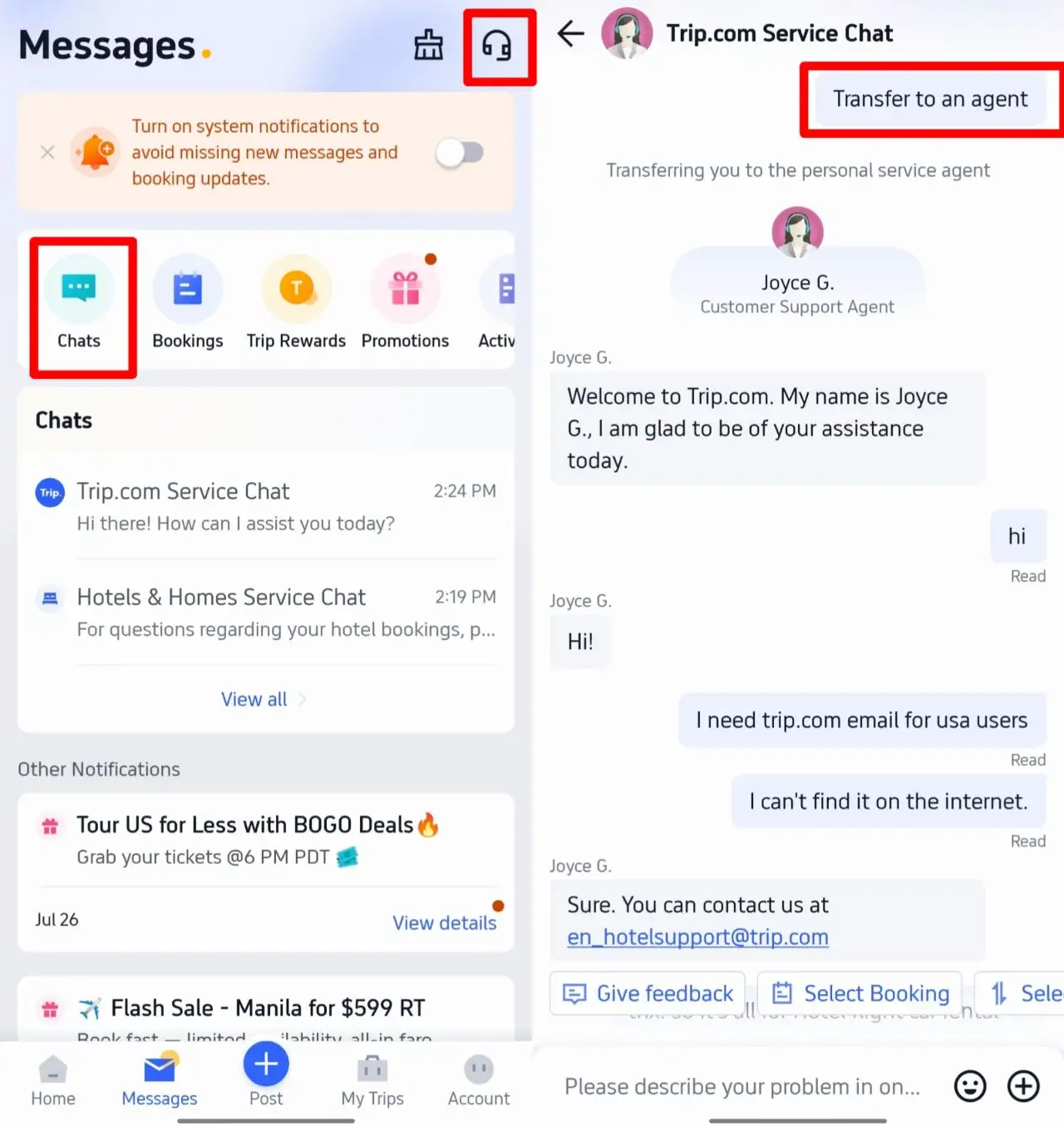
If you prefer text support:
- Open Trip.com App → Account → Customer Support
- Tap the Chat option
- Type your question
- Follow the prompt to transfer to an agent for live help
Why Trip.com Support Stands Out
- 24/7 availability: Help anytime, day or night
- Free in‑app calling: Save on international roaming
- Multilingual support: Assists users from India and worldwide
- Fast connection: Typical wait time ~30 seconds
- Covers all needs: Bookings, changes, cancellations, refunds, emergencies, payments
See all attractions
 2527 booked






[10% Off] Trip.com Hotel Promo Codes
Search Top Global Hotels
See All Hotels







FAQs about Trip.com Contact
-
Is Trip.com customer service available 24/7?
-
How do I contact Trip.com for free?
-
Does Trip.com have a dedicated number for India?
-
What should I do if I can't reach the phone line?
-
How can I change my booking through customer service?
Disclaimer: This article has been provided by an individual contributor or third party platform. If there is any discrepancy regarding the copyright, please contact us directly and we will delete the content immediately.
Trending Searches
-
Popular Airlines