How to Find Trip.com Phone Number & Free Online Call

By Trip.com
April 16, 2026

If you’re planning a holiday or business trip and need help with bookings, cancellations, or general questions, Trip.com is ready to assist. Below is how to find Trip.com’s phone number and customer service information.
See all flights


Trip.com Phone Number for India & Global
Trip.com provides 24/7 phone support across 40 countries and regions. You can check the latest official phone numbers on Trip.com’s help pages.
- For the global version, visit: https://www.trip.com/help/
- For the India version, visit: https://in.trip.com/help/
Step 1: Access the Trip.com App to Find the Trip.com Phone Number
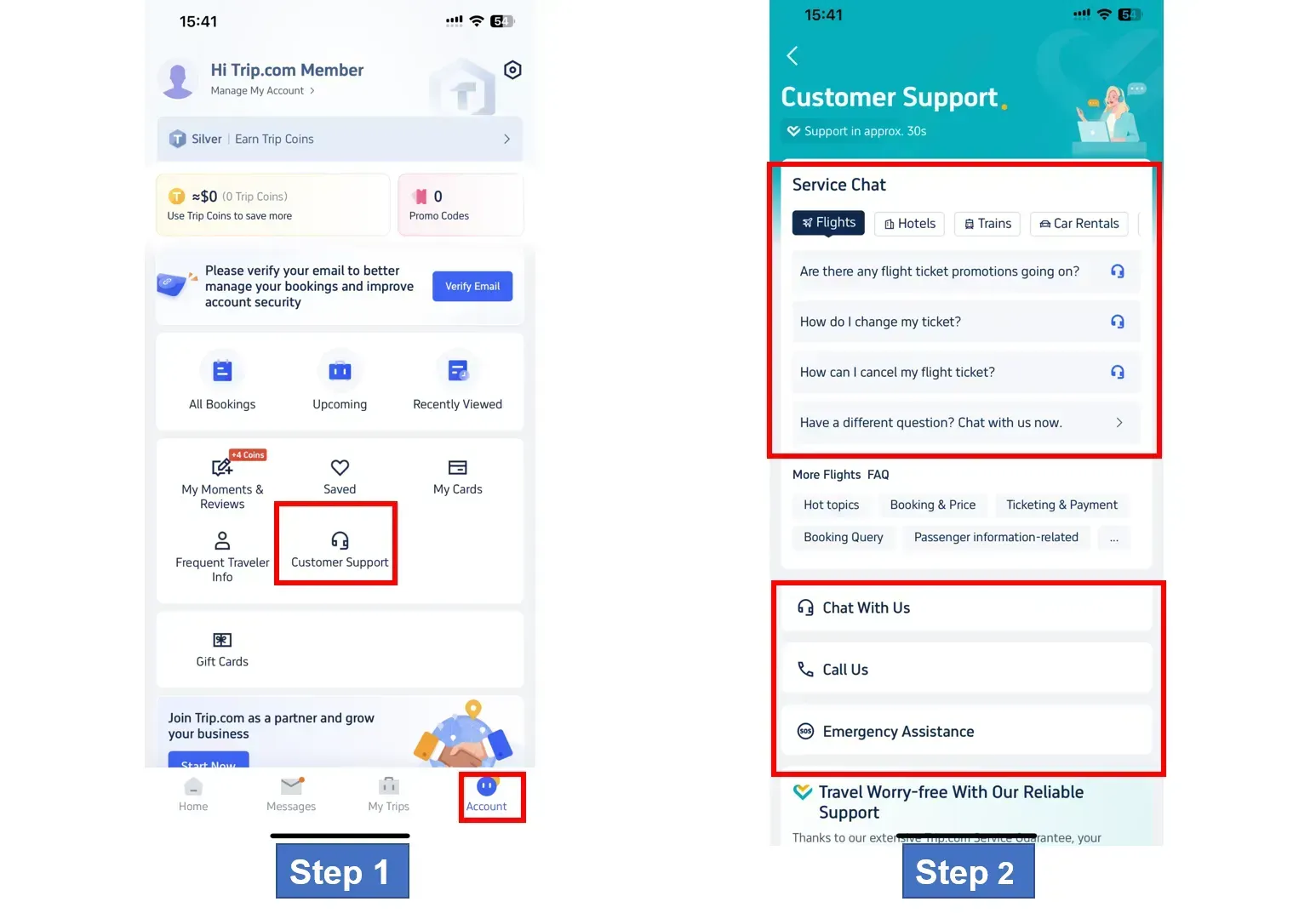
Sign in to your Trip.com account on your mobile phone and go to the Account section. Click on "Customer Support" to view details.
Step 2: Access Trip.com Customer Service Page
Trip.com offers multiple support options, including chat, phone and emergency assistance. You can choose what suits you best.
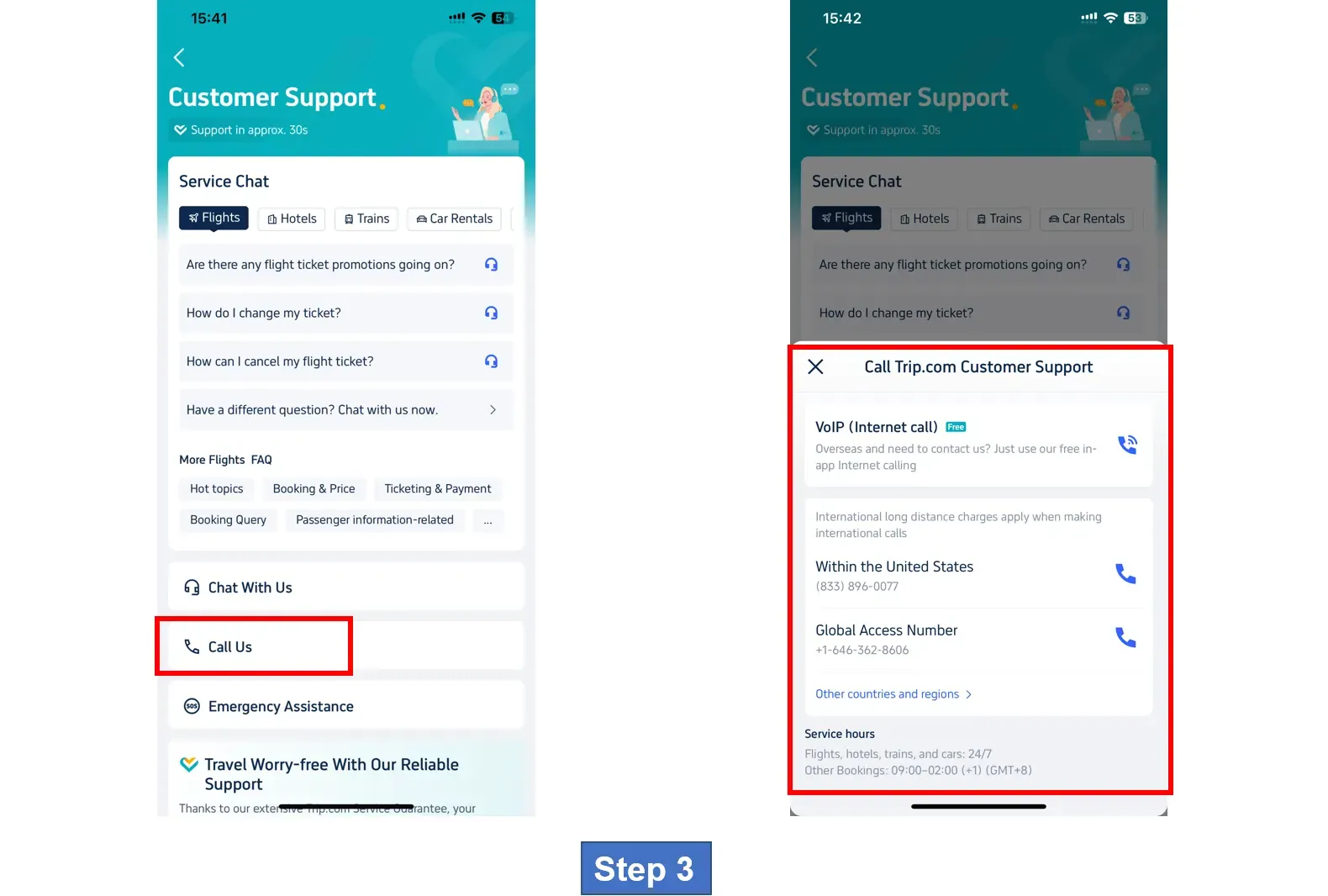
Step 3: Select Trip.com Call Service to Find Trip.com Phone Number
Under the Telephone Support section, click Call Us to view the available phone numbers. You can choose between Internet calling or global calling as needed.
*The screenshots are only for reference.
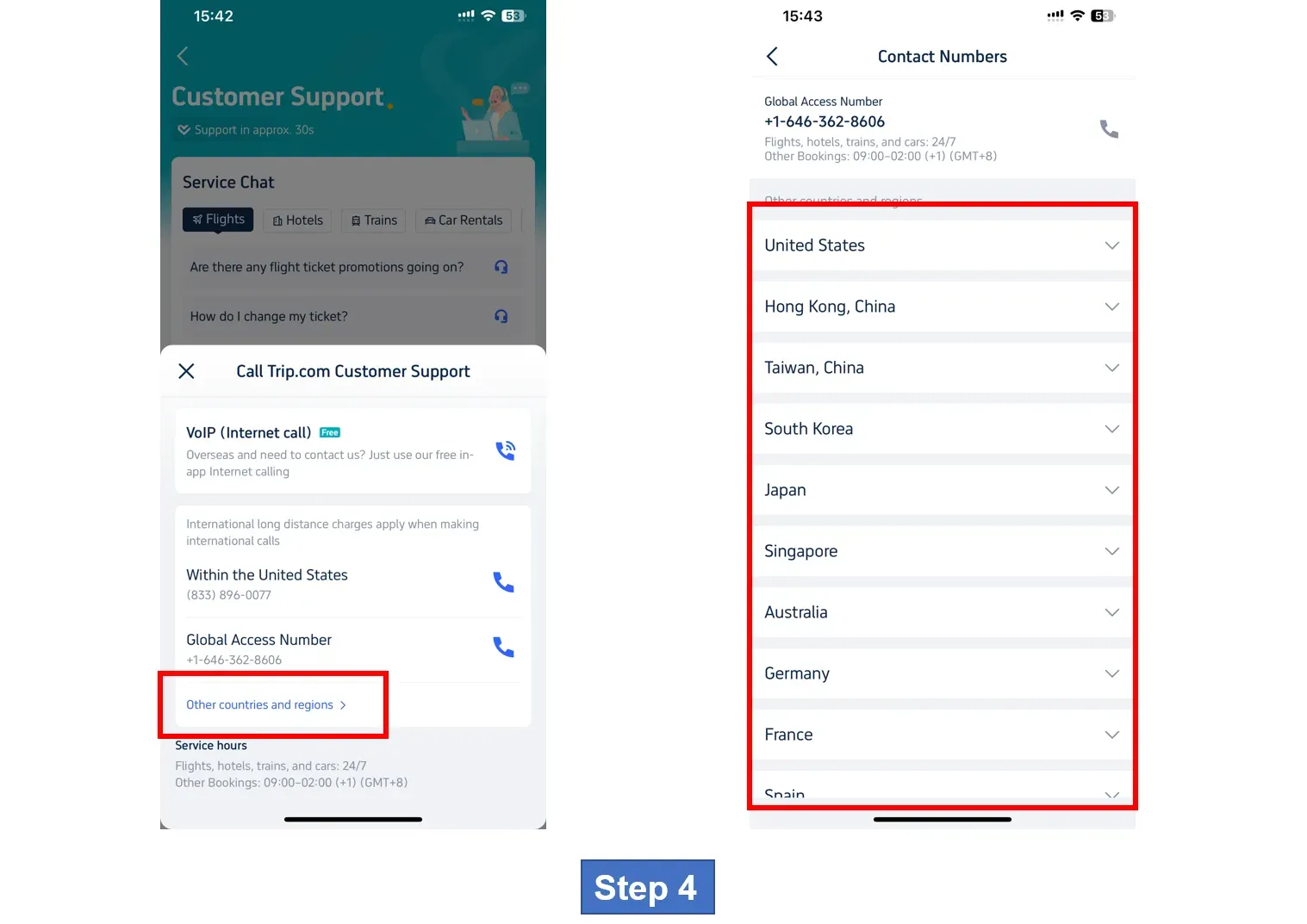
Step 4: Find Trip.com Phone Numbers for Other Countries & Regions
To find numbers for other countries and regions, click "Other Countries and Regions" for more details. For a complete and up-to-date list, please check the official support page.
Special Note Trip.com's customer service is available 24/7, and support usually takes about 30 seconds to connect.
How to Make Free In‑App Calls on Trip.com
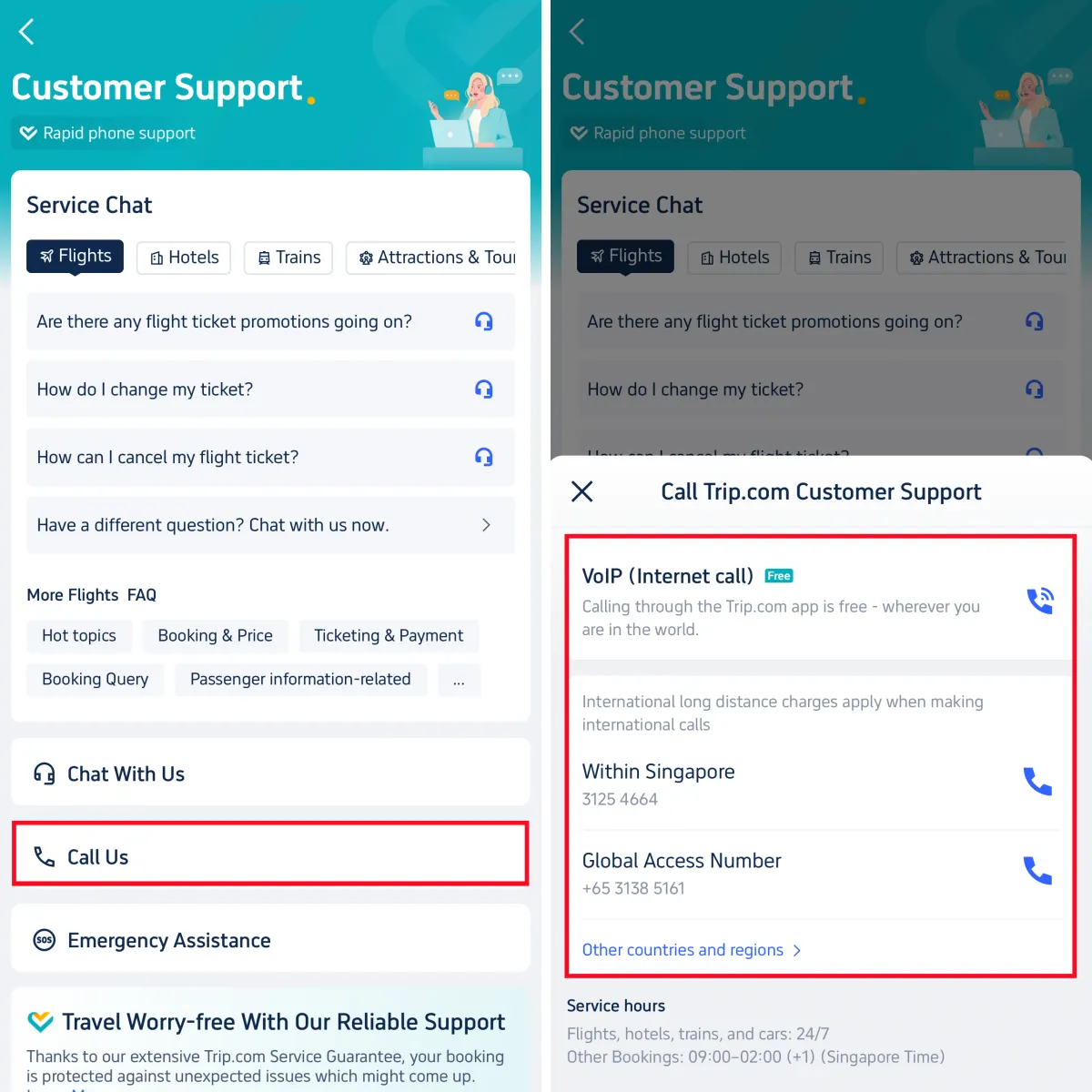
The Internet calling (intra-app calling) feature in Trip.com is free. It uses Wi-Fi or mobile data instead of your phone plan minutes, so you won't be charged extra.
- Go to Account > Customer Support
- Select Call Us
- Choose VoIP (Internet Call)
- Connect to an agent for free
How to Reach Human Support via Online Chat
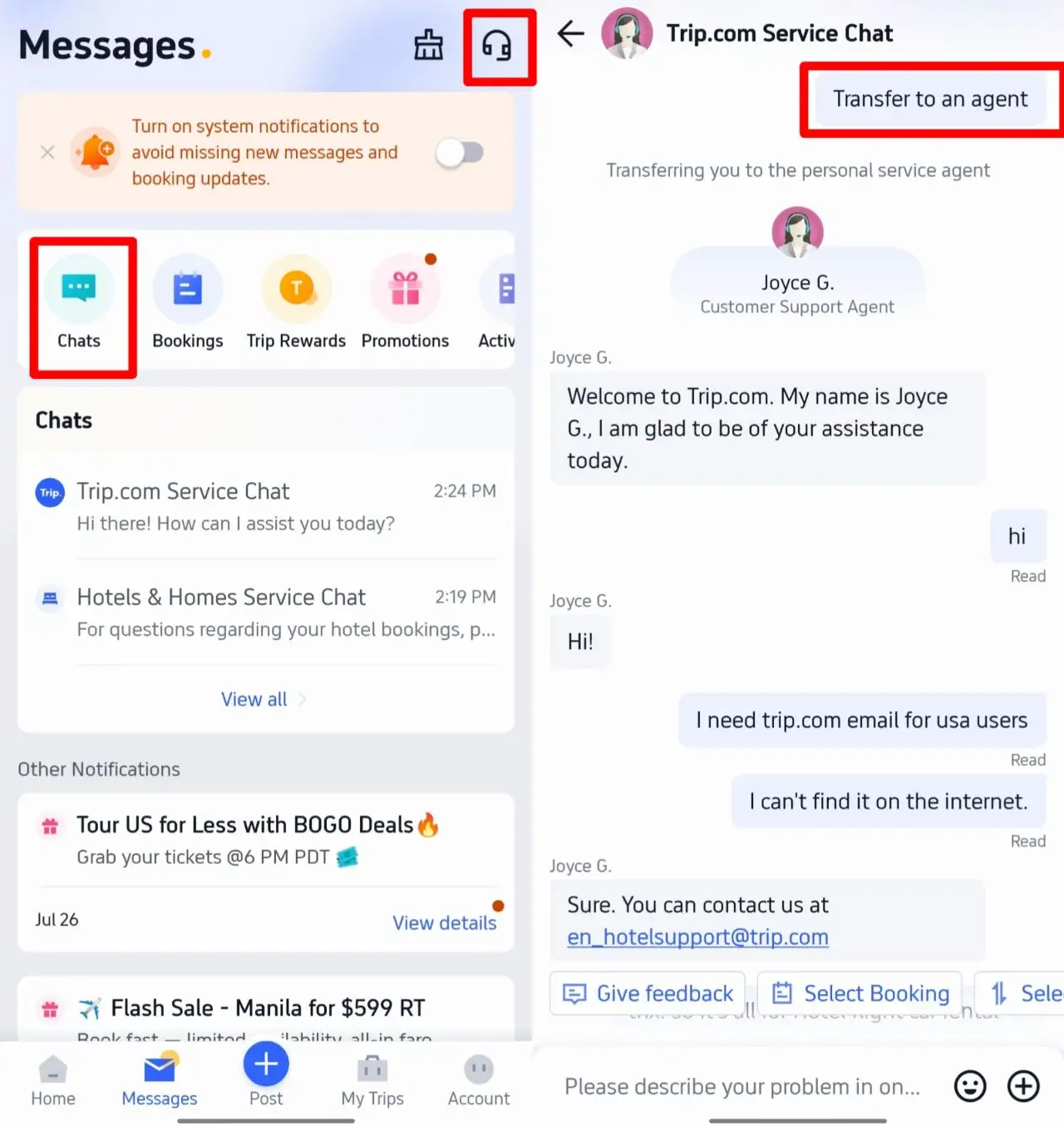
If you prefer text-based help, you can chat with a real agent easily:
- Open the Trip.com App and go to Account
- Tap Customer Support
- Find the Chat option and enter the chat window
- Send your questions and follow the prompt "transfer to an agent" to connect with a live agent
Book the cheapest flights worldwide, search for top hotels, and claim new-user coupons for eSIM and attraction tickets.
Benefits of Trip.com Call Service & Customer Care
Trip.com customer service helps travelers with all kinds of travel-related needs. Whether you need help changing or refunding flight and hotel bookings, solving payment problems, verifying reservations, or getting emergency help, the support team is available to assist. The team aims to resolve issues efficiently and offer clear, reliable guidance to make your trip smoother.
- Personalized support: You can speak directly with a customer service representative to get help tailored to your situation.
- 24/7 service: Phone support is available around the clock, so you can reach someone anytime.
- Multilingual support: Support is provided in 40 languages, making it easier for users from different regions to communicate clearly.
See all attractions
 2536 booked






[10% Off] Trip.com Hotel Promo Codes
Search Top Global Hotels
See All Hotels







FAQs about Trip.com Phone Number
-
What is the official way to find Trip.com phone numbers?
-
Is the Trip.com in-app call really free?
-
When can I reach Trip.com customer service?
-
Does Trip.com offer support in multiple languages?
-
How can I talk to a Trip.com human agent online?
Disclaimer: This article has been provided by an individual contributor or third party platform. If there is any discrepancy regarding the copyright, please contact us directly and we will delete the content immediately.
Trending Searches
-
Popular Airlines