
Best China eSIM with VPN for Foreigners - 5G High-Speed Unlimited

By Bethy
April 20, 2026
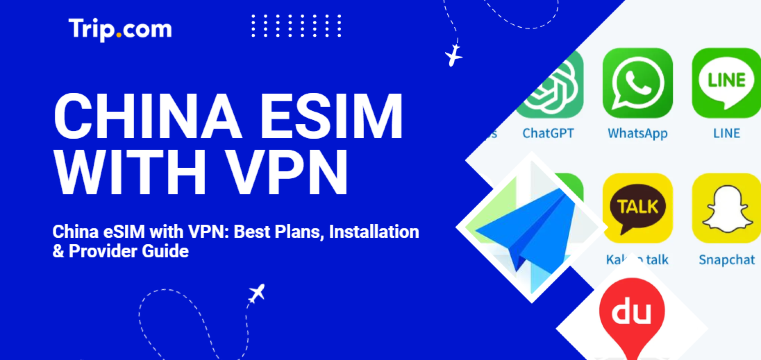
Traveling to China? Use an international roaming China eSIM with VPN to access WhatsApp, Google, and X without a separate VPN app. View the top 5G plans on Trip.com.
to Shanghai
to Beijing
to Guangzhou
See all flights


Top 3 China eSIM Plans with VPN
Based on reliability and coverage, here are the three most popular plans available. Check the coverage carefully. Some plans cover Mainland China only, while others are "Greater China" plans that include Hong Kong and Macau.
CMCC China 4/5G eSIM
- CoverageMainland China
- Data0.5G-3GB/day or 1-50GB Total
- Validity1 to 30 Days
- Pricefrom ₹20.31

China Mobile 5G eSIM
- CoverageMainland China
- Data0.5G-3GB/day or 1-50GB Total
- Validity1 to 30 Days
- Pricefrom ₹ 20.31

China/HK/Macau eSIM
- CoverageChina(Mainland,HK&Macau)
- Data3-50GB Total or 0.5-100GB/Day
- Validity1 to 30 Days
- Pricefrom ₹ 20.89
Does eSIM work in China?

Download apps on your iPhone or iPad – Apple Support (UK)
Yes, absolutely. For most modern travelers, an eSIM is now the standard way to stay connected. However, not all eSIMs are created equal. There are two types of eSIMs you will encounter:
- Local Chinese eSIMs: These give you a local number but follow Chinese internet regulations (no access to Google, YouTube, etc.).
- International Roaming eSIMs (Recommended): These use international data routing (via Hong Kong, Singapore, or Europe). Because your data is "roaming," it bypasses the Great Firewall automatically. This is essentially a "built-in VPN" effect that is fast, legal, and officially supported.
How to Access Foreign Apps in China

There are generally two ways to handle this, though one is significantly more reliable:
- Method 1: Local SIM + Third-Party VPN. You buy a physical SIM at the airport and then try to run a VPN app. This is often frustrating because VPN apps are frequently blocked or slowed down during sensitive periods.
- Method 2: International eSIM (Recommended). By using a provider like Trip.com, your phone treats the connection as a roaming line. You can open Instagram, Gmail, and WhatsApp just like you would at home without ever turning on a separate VPN app.
Does China eSIM work in Hong Kong and Macau?
Yes! Many plans on Trip.com are specifically labeled for China + Hong Kong + Macau.
- Hong Kong: No firewalls, 5G is extremely fast.
- Macau: Seamless transition from the mainland.
- Advice: Always verify that the "Coverage" section includes "Hong Kong" and "Macau" before clicking purchase, as some budget plans are "Mainland Only."
Top China eSIM Operators and Reviews
The "Big Three" in China are China Unicom, China Mobile, and China Telecom.
- China Unicom: Generally the best compatibility for international phones.
- China Mobile: Largest 5G network, great for rural areas.
- User Reviews: Most travelers on Trip.com rate the 5G eSIMs 4.6/5 stars, citing "instant activation" and "no need for a separate VPN" as the biggest highlights.

Mainland China/Hong Kong/Macau 5G eSIM | 5 Carriers | Day Pass/Total Data Package | 24-Hour Billing | QR Code
4.6/5
21988 reviewsSuper convenient! Forget about searching for physical SIM cards. We bought one and installed it right away at the Hong Kong cruise port. It took me a minute to install it using the link in my booking. The speed is excellent, and the price is reasonable. It's also available for sharing. I definitely recommend it to all travelers!

5G/4G eSIM in 8 Asian countries | Multi-network support, supports ChatGPT & Google Maps | 500MB/day - 50GB total | 1-30 days | 24-hour billing | QR code
4.6/5
6628 reviewsHopefully everything will go well, but the others I've bought work perfectly, so I hope this one will be the same.


Mainland China 5G eSIM | Day Pass/Total Data Package | ChatGPT Available | 24-Hour Billing | 1-365 Days | QR Code
4.6/5
67060 reviewsThis hotel truly exceeded my expectations! I was immediately struck by the exquisite decor of the lobby upon entering; the environment was clean, elegant, and the atmosphere was fantastic. The rooms were spacious and bright, the bedding was soft and comfortable—I didn't want to get up! The attention to detail was remarkable, exuding a sense of luxury throughout. The staff were warm and attentive, efficient and considerate from check-in to check-out, always ready to help, making me feel incredibly welcome. The location is excellent, convenient for travel, and surrounded by amenities. Overall, a perfect experience, excellent value for money, suitable for both travel and vacation. I will definitely choose this hotel again next time; highly recommended! [Party]
China eSIM | 1-30 Days | Up to 60GB High-Speed Data | Coverage on Leading Network
4.3/5
119 reviewsthe signal is very good,it is very easy to open and use,the price is relatively better than buying a general store,and the quality of the signal is much better.
Comparison: China SIM vs. eSIM vs. Pocket Wi-Fi
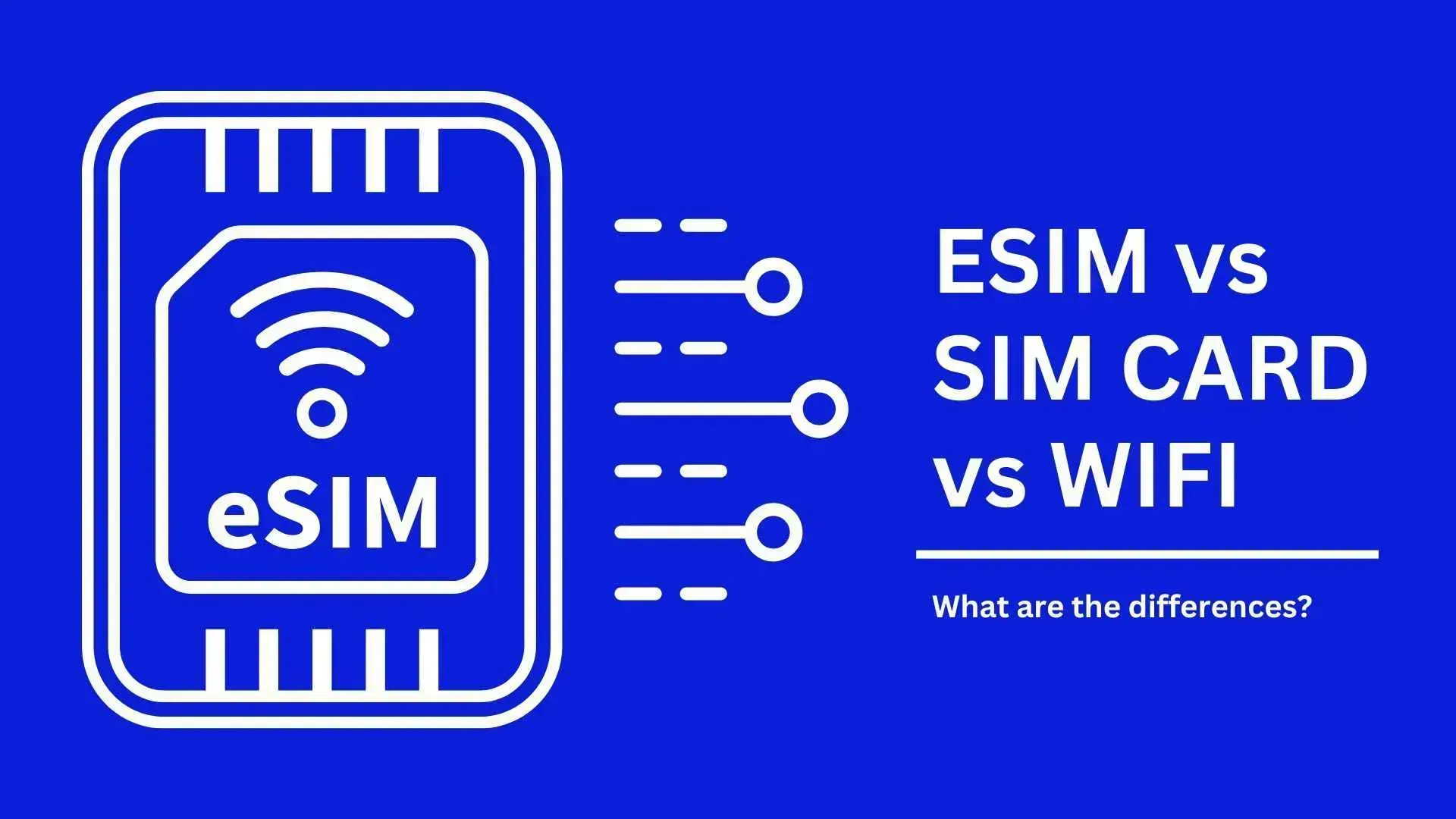
Feature | Physical SIM | eSIM (Recommended) | Pocket Wi-Fi |
Convenience | Must find a booth/store | Instant download | Must carry a device |
VPN Effect | Usually none (Blocked) | Built-in (Works) | Depends on the model |
Price | Low | Low | Medium (Rental fees) |
HK/Macau | Need new SIM | Unified plans | Often Mainland only |
How to Check Compatibility & Install China eSIM
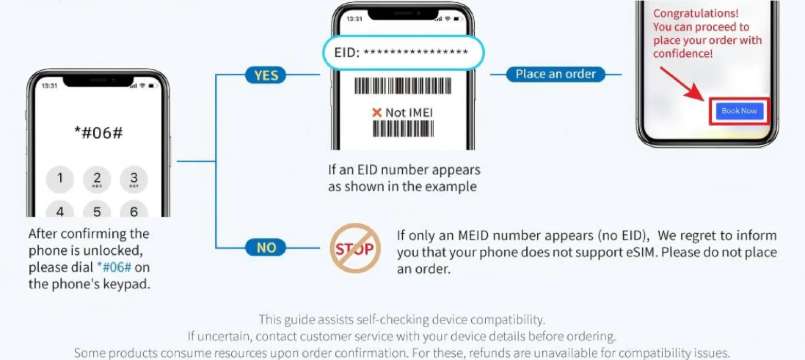
1. Check if your phone supports eSIM
Not all phones are compatible. To check:
- Dial
*#06#on your keypad. If you see an EID number, your phone likely supports eSIM. - Carrier Lock: Go to Settings > General > About. Look for "Carrier Lock." It must say "No SIM restrictions."
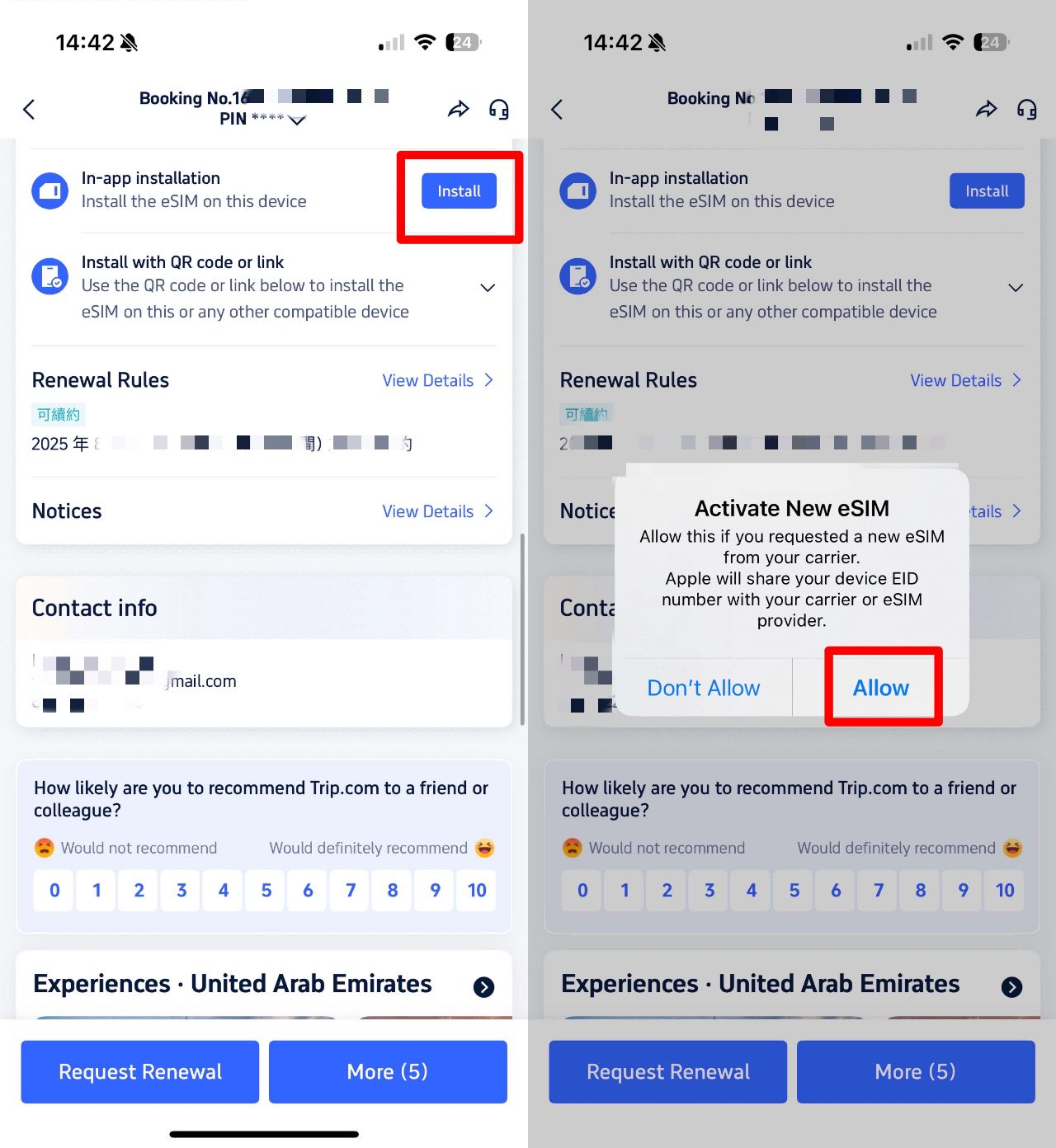
2. China eSIM Installation Guide
- Purchase & Receive QR Code Buy your plan on Trip.com. You will receive a QR code via email or in the app. But if your phone is the newer model, you can install on Trip.com app directly.
- Scan the QR Code Go to Settings > Cellular > Add eSIM. Scan the code. Label it "China Travel."
- Turn on Data Roaming Once you land in China, switch your "Cellular Data" to the new eSIM. You must toggle "Data Roaming" to ON for the international routing to work.
[10% Off] Best China Hotel Recommendations
Top Shanghai Hotels
Top Beijing Hotels
Top Guangzhou Hotels
See All Hotels
 NO.1
NO.1






















FAQs about China eSIM with VPN
-
Can I use WhatsApp, Instagram, and Gmail with this eSIM?
-
Does the eSIM come with a Chinese phone number?
-
Will China eSIM work in Beijing, Hong Kong, and Macau?
-
Can I use a hotspot to share data with my laptop?
Disclaimer: This article has been provided by an individual contributor or third party platform. If there is any discrepancy regarding the copyright, please contact us directly and we will delete the content immediately.
Trending Searches
-
Popular Cities
-
Popular Airlines & Airports
-
Featured Flights
- Air India
- Alliance Air
- IndiGo
- SpiceJet
- Singapore Airlines
- Thai Airways
- Vietnam Airlines
- Air Canada
- Japan Airlines
- American Airlines
- Malaysia Airlines
- Korean Air
- Qantas
- Air New Zealand
- Azerbaijan Airlines
- British Airways
- Air China
- Lufthansa
- Indira Gandhi International Airport
- Chhatrapati Shivaji Maharaj International Airport
- Kempegowda International Airport
- Rajiv Gandhi International Airport
- Chennai International Airport
- Netaji Subhas Chandra Bose International Airport
- Sardar Vallabhbhai Patel International Airport
- Cochin International Airport
- Pune Airport
- Dabolim Airport
- Trip.com VIP Lounge Access
- Trip.com Cancellation Policy
- Trip.com Flight Cancellation
- Trip.com Seat Selection
- Trip.com Flight Change
- Trip.com Payment Methods
- Trip.com E-Ticket
- Trip.com Hotel Refund
- Trip.com Reviews
- Trip.com Membership
- Trip.com Check In
- Trip.com Passport Change
- Trip.com Flight Ticket
- Trip.com Customer Care
- Trip.com Change Booking
- Trip.com Contact
- Buy Now Pay Later
- Trip.com Cashback
- Is Trip.com Legit
- Trip.com Price Match