Best China eSIM Guide: No VPN Needed for Foreigners

By Bethy
April 2, 2026
Planning a trip to China? The biggest challenge isn't the language—it's the internet. If you are wondering "Does HK or international eSIM work in mainland China?" or "How can I use WhatsApp in China?", this guide is for you.
to Shanghai
to Beijing
to Guangzhou
See all flights


Why You Need an eSIM in China
If you buy a local physical SIM card upon arrival in Beijing or Shanghai, you are subject to China's internet censorship. This means No Google, No WhatsApp, No Instagram, and No YouTube.
However, Trip.com eSIMs use international roaming protocols. This means your data is routed through global servers (like Hong Kong), allowing you to access your home apps and websites seamlessly and legally.
CMCC China 4/5G eSIM
- CoverageMainland China
- Data0.5G-3GB/day or 1-50GB Total
- Validity1 to 30 Days
- Price from US$0.41 ≈ ₹34

China Mobile 5G eSIM
- CoverageMainland China
- Data0.5G-3GB/day or 1-50GB Total
- Validity1 to 30 Days
- Price from US$0.43 ≈ ₹36

China/HK/Macau eSIM
- CoverageChina(Mainland,HK&Macau)
- Data3-50GB Total or 0.5-100GB/Day
- Validity1 to 30 Days
- Price from US$0.43 ≈ ₹36
How to Access Foreign Apps in China 2026
You have two main options, but only one is recommended for 2026:
1. The eSIM Roaming Method (Recommended ⭐)
How it works: Use a Trip.com eSIM. This service utilizes international data roaming agreements, officially routing your data through global network nodes (such as Hong Kong or Singapore).
- Because you are using a licensed roaming service, your access to global apps is "built-in." You simply turn on your data and open your apps.
- It is a standard telecommunications service—fast, battery-efficient, and fully compliant with international roaming protocols.
2. Local SIM + Third-Party Software (Not Recommended ❌)
How it works: You can buy a local physical SIM card at the airport upon arrival.
- Local SIMs are optimized for the domestic network. To access international services, travelers often try to download third-party "bridge" software (VPNs).
- The Risk: These third-party tools are often subject to network fluctuations and local policy changes. They can be slow, expensive, and may stop working during your trip, leaving you without a way to navigate or communicate.
Does Hong Kong eSIM work in Mainland China?

Yes. One of the most efficient ways to stay connected is using a Greater China eSIM (covering Mainland China, Hong Kong, and Macau).
- Seamless Roaming: When you buy a regional eSIM from Trip.com, your data roams across borders. You can take the High-Speed Rail from Hong Kong to Shenzhen without ever losing your connection or changing settings.
- IP Passthrough: Because these eSIMs are often routed through Hong Kong gateways, they provide a "roaming" environment even when you are in Beijing or Shanghai.
Why Trip.com China eSIM is the #1 Choice for Foreigners
While there are many eSIM apps out there, Trip.com has optimized its service specifically for the China market.
- Built-in VPN Access: Their plans come with built-in "tunneling" that unblocks Western apps by default.
- Official Carrier Partnerships: Trip.com works directly with China Mobile and China Unicom to provide 5G speeds that are often faster than local roaming.
- Massive Plan Variety: Whether you need 500MB for a layover or 50GB for a month-long trek, they have the most flexible pricing on the market.
- Customer Service: Unlike many tech-only apps, Trip.com offers 24/7 support in English, which is vital if you find yourself stuck at a train station without data.
See all attractions
 954050 booked




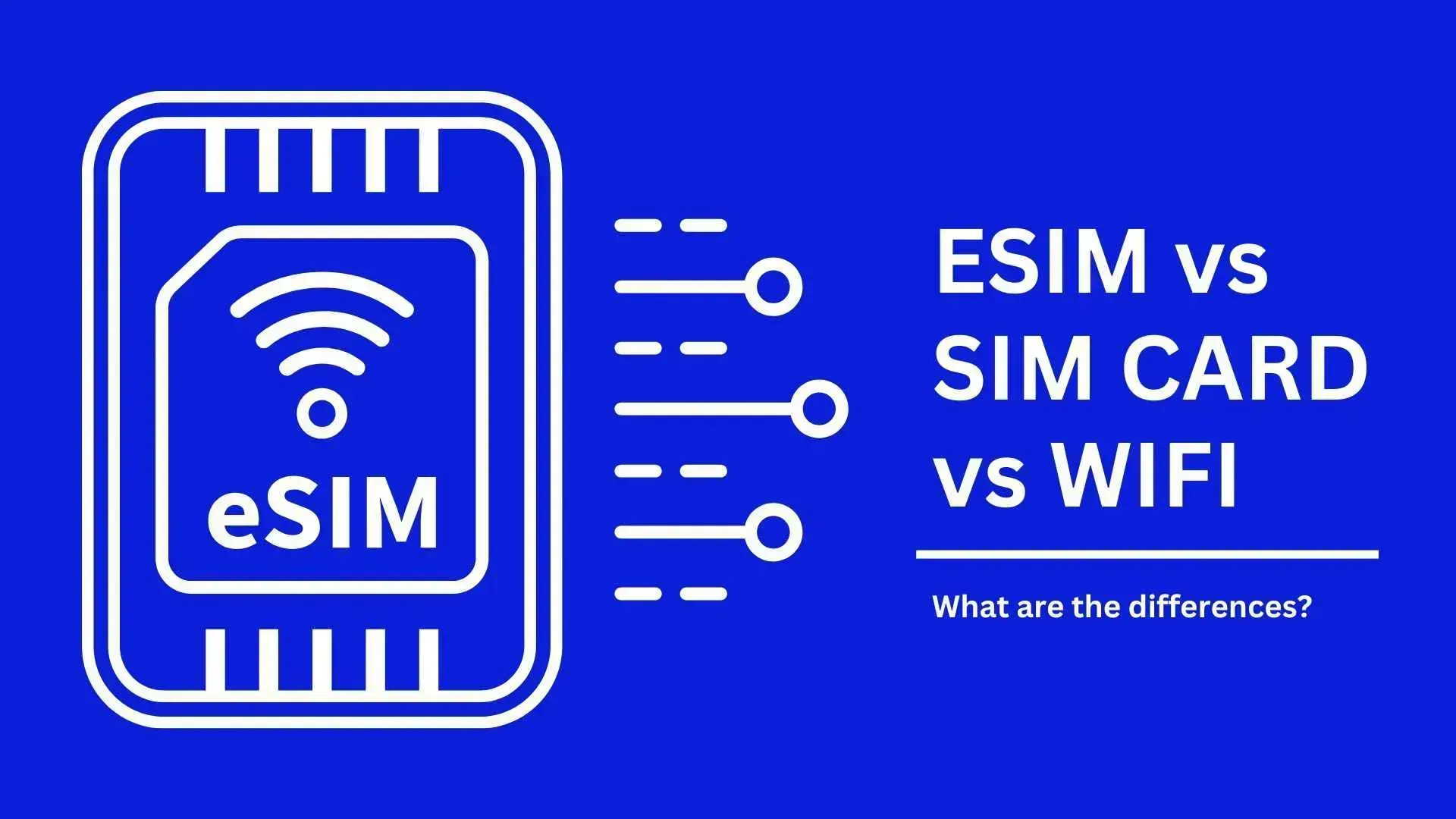
Comparison of China eSIM vs. Roaming vs. Local SIM vs. Wi-Fi
Feature | Trip.com eSIM | International Roaming | Local Physical SIM | Pocket Wi-Fi |
Price | Low ($1-2/GB) | Very High ($15/day+) | Very Low | Moderate |
App Access | Unrestricted | Unrestricted | Blocked (Needs VPN) | Blocked |
Ease of Use | Instant Activation | Automatic | High (Requires Passport) | Medium (Must Carry Device) |
VPN Needed? | No | No | Yes | Yes |
How to Activate Your Trip.com eSIM (No QR Code Needed!)
The most common complaint with eSIMs is: "How do I scan the QR code if it's on my phone screen?" Trip.com has solved this with In-App Installation.
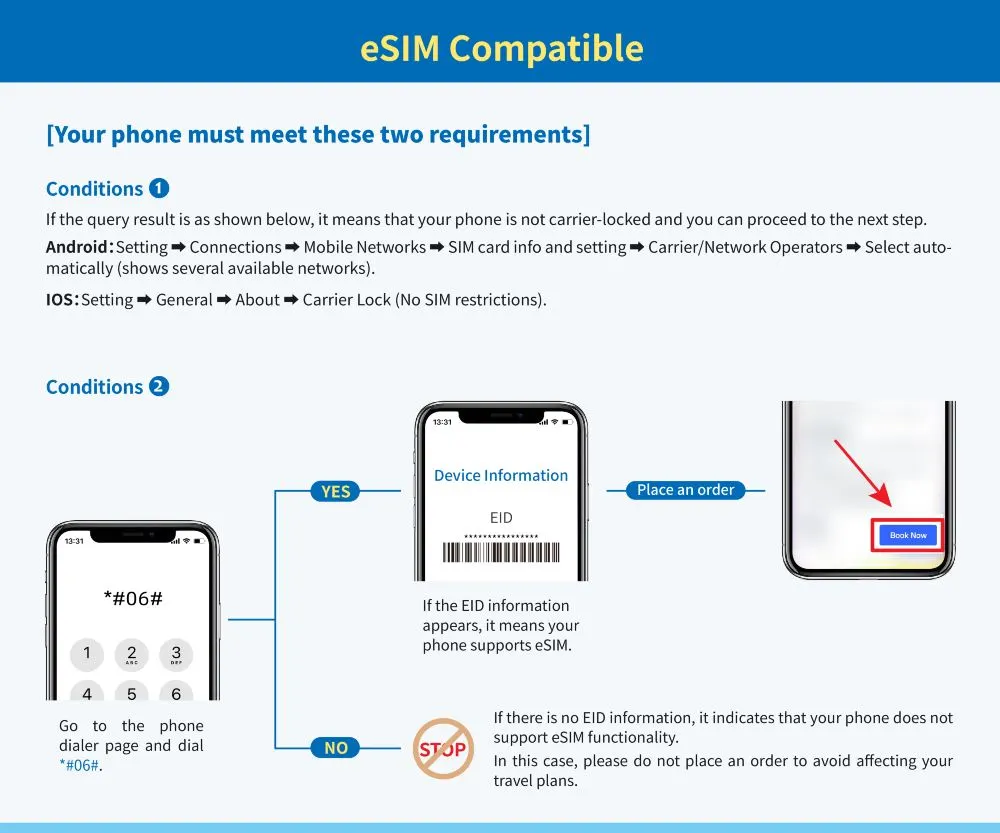
Step 1: Compatibility Check
Before buying, ensure your phone is "Carrier Unlocked."
- iPhone: Settings > General > About > Carrier Lock (should say "No SIM restrictions").
- Android: Dial
*#06#to see if an EID number appears.
Step 2: One-Tap Installation
- Open the Trip.com App and purchase your China plan.
- Go to "My Bookings" and find your eSIM order.
- Tap "Direct Installation" or "Install to This Device."
- Your phone will automatically prompt: "A cellular plan is ready to be added." Tap Continue.
Step 3: Landing in China
Once the plane touches down:
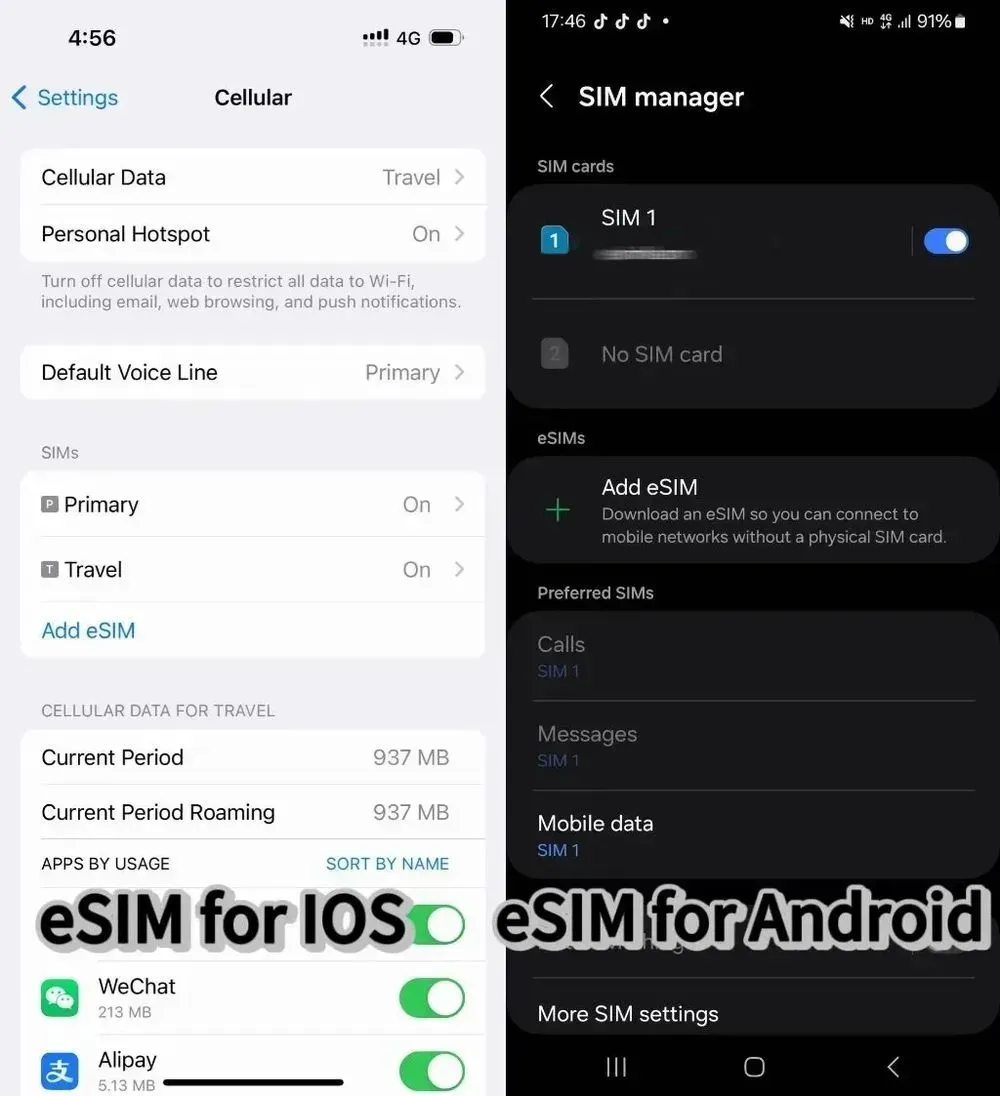
- Go to Settings > Cellular.
- Turn ON your Trip.com eSIM.
- Set "Cellular Data" to the eSIM and Turn ON Data Roaming.
What should I do if my eSIM doesn’t work in China?
Don't panic. Follow these steps:
- Enable Data Roaming: This is the #1 reason for connection issues.
- Check APN Settings: Ensure your APN is set according to the instructions in your Trip.com confirmation email.
- Restart Your Phone: This forces the device to re-scan for the best local tower.
- Contact Support: Trip.com offers 24/7 customer service to help you troubleshoot in real-time.
Pro-Tips for Internet and Apps in China
- Download Alipay: Even with an eSIM, you need to pay for things. Link your Visa/Mastercard to Alipay before you arrive.
- Apple Maps over Google Maps: While Google Maps works with an eSIM, its Chinese data is often outdated. Apple Maps uses local data and is much more accurate for navigation.
- Battery Packs: Using 5G and translation apps all day drains battery fast. Carry a small power bank.
🔥Exclusive China Train Coupon: Get 3% OFF Now!
Book your China train tickets as a new user on Trip.com and enjoy a special 3% Off 🎁!
[10% Off] Best China Hotel Recommendations
Top Shanghai Hotels
Top Beijing Hotels
Top Guangzhou Hotels
See All Hotels























FAQs about China eSIM
-
Which eSIM works in Mainland China?
-
Can I use Hong Kong eSIM in Mainland China?
-
Does international eSIM work in China?
-
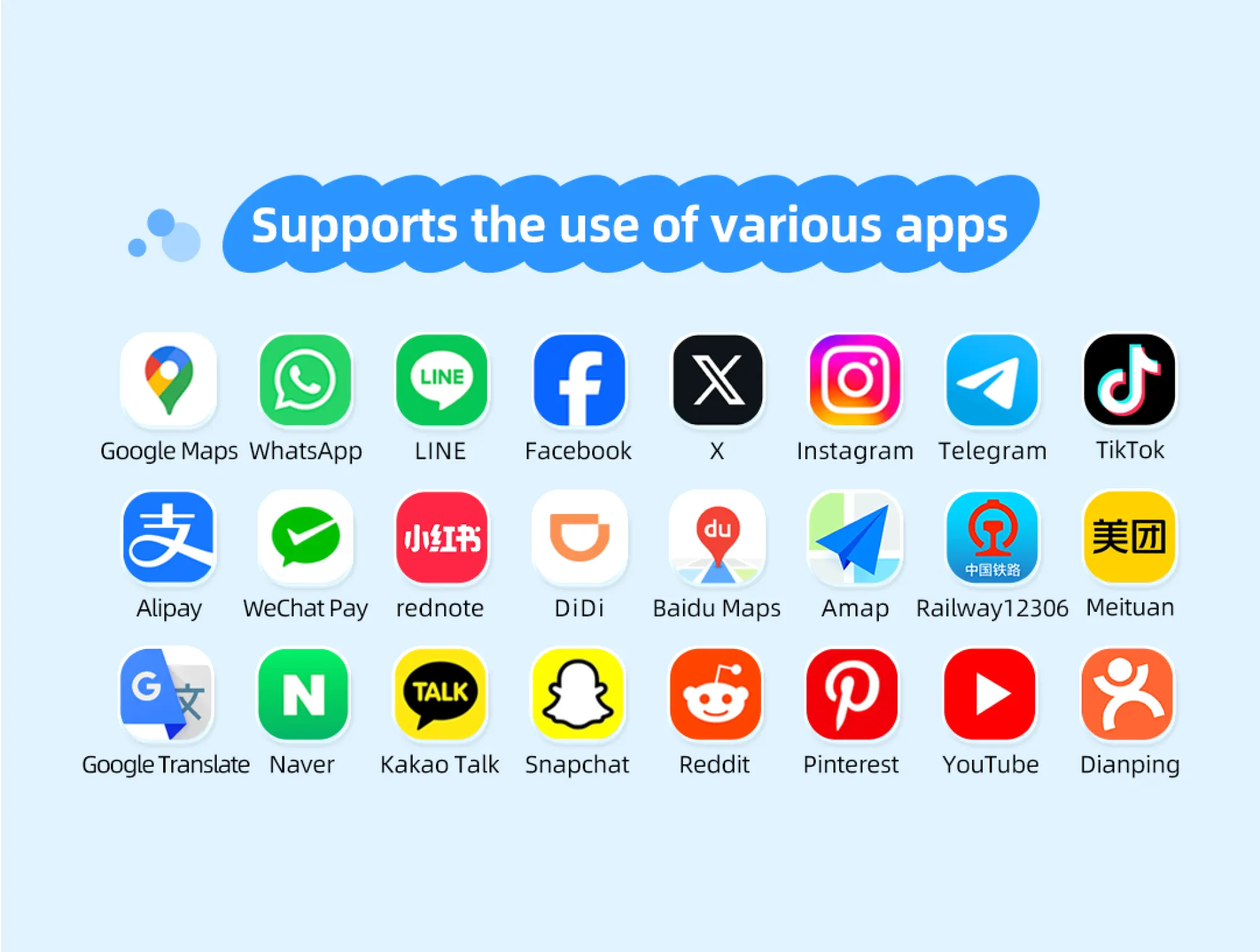
Will apps like WhatsApp work with eSIM in China?
-
How to stay connected in China using eSIM
Disclaimer: This article has been provided by an individual contributor or third party platform. If there is any discrepancy regarding the copyright, please contact us directly and we will delete the content immediately.
Trending Searches
-
Popular Cities
-
Popular Airlines & Airports
-
Featured Flights
- Air India
- Alliance Air
- IndiGo
- SpiceJet
- Singapore Airlines
- Thai Airways
- Vietnam Airlines
- Air Canada
- Japan Airlines
- American Airlines
- Malaysia Airlines
- Korean Air
- Qantas
- Air New Zealand
- Azerbaijan Airlines
- British Airways
- Air China
- Lufthansa
- Indira Gandhi International Airport
- Chhatrapati Shivaji Maharaj International Airport
- Kempegowda International Airport
- Rajiv Gandhi International Airport
- Chennai International Airport
- Netaji Subhas Chandra Bose International Airport
- Sardar Vallabhbhai Patel International Airport
- Cochin International Airport
- Pune Airport
- Dabolim Airport
- Trip.com VIP Lounge Access
- Trip.com Cancellation Policy
- Trip.com Customer Service
- Trip.com Seat Selection
- Trip.com Flight Change
- Trip.com Payment Methods
- Trip.com Hotel Refund
- Trip Coins
- Trip.com E-Receipt
- Trip.com Check In
- Trip.com Ticket Issued Status
- Trip.com baggage allowance
- Trip.com Refund
- Trip.com Change Booking
- Trip.com Contact
- Buy Now Pay Later
- Trip.com Cashback
- Is Trip.com Legit
- Trip.com Call Center
- Trip.com Price Match