China eSIM Not Working? Fixes for No Signal, No Data and OTP

A China eSIM that shows no data is usually a phone setting rather than a dead plan: the line is off, the phone still sends data through your home SIM, roaming is disabled, or the APN is empty. This guide works through the fixes in the order that finds the fault fastest, then covers Chinese network settings, phone compatibility, keeping your Indian number alive for OTPs, and what to do if you land in China with no internet at all.
to Shanghai
to Beijing
to Guangzhou
See all flights


China eSIM Not Working? Check These Four Switches First

Run through four switches in this order — installed, switched on, set as the data line, roaming on — because each one depends on the one before it. Get all four right and a working plan joins a Chinese network within a couple of minutes of landing.
What each switch should look like when it is right:
- Installed — the plan appears as its own line under Settings > Cellular on iPhone, or under SIM manager on Android. If nothing is listed, the profile never finished installing.
- Switched on — the toggle for that line is green or blue. A grey toggle means the line is off, and an “Expired” label means the plan's validity window has closed.
- Data line — the phone's mobile-data line points at the travel eSIM, not your home SIM. On iPhone that is Settings > Cellular > Cellular Data; on Android it is the “Preferred SIM for mobile data” setting.
- Roaming — data roaming is on for the travel line only. A travel eSIM is a roaming product by design, so with roaming off the phone never attaches to a Chinese network properly.
What the same four settings are called on Android
Android labels them differently by brand: “SIM cards & mobile networks” on Xiaomi and Redmi, “Connections > SIM manager” on Samsung, “Mobile network > SIM & data” on realme, OPPO and vivo. Rather than walking the tree, type “APN” or “SIM” into the settings search bar.
Signs that all four are right
Within about 30 seconds the status bar should show an operator name — China Mobile, China Unicom, China Telecom, or the partner network your provider names — plus a 4G or 5G icon. Bars with the words “No Service” underneath mean the opposite: the line is reaching for a network it is not allowed to join, which points at roaming or bands rather than at data.
China eSIM With Full Signal but No Data? Read the Screen First

Full bars with nothing loading means the phone found a tower but is not being allowed to pass data. The exact words on screen narrow it down to one of a handful of causes, so read them before changing anything.
What you see | What it usually means | Do this first |
|---|---|---|
Bars and a 4G/5G icon, pages never load | Data authorised but blocked — usually an empty APN or a plan that has not been activated | Fill in the APN, then toggle airplane mode for 30 seconds |
Bars with no data icon at all | Mobile data is pointed at your home SIM, or data is off for the travel line | Reset the data line to the travel eSIM |
“No Service” or “Searching…” | Line off, roaming off, or a band your phone does not carry | Line on, roaming on, then pick the network by hand |
Operator name appears, then disappears | Weak indoor coverage or a busy station platform | Move to a window and force 4G/LTE |
“SIM not provisioned” or “No SIM” | Profile never installed, or it was removed by accident | Reinstall from the provider's app or QR code |
Works for a few minutes, then dies | Daily high-speed allowance used up | Check the balance in the provider's app |
The 60-second test that separates data from apps
Turn Wi-Fi off. Open a Chinese app you will actually use — Amap, WeChat, DiDi — then open a site you use at home. Chinese apps loading while home apps fail means the data is fine and the plan simply follows mainland rules. Nothing loading at all means the fault sits in the connection.
Why bars are not the same as data
Bars measure the radio link to the nearest tower. Authorisation, APN and plan state sit above that link, which is why a phone can hold a perfect signal on a plan that expired yesterday or an APN that points nowhere. “Full signal” and “no internet” describe two different problems in China.
For Indian travellers: many dual-SIM Android phones sold in India keep SIM 1 as the default data SIM after a new profile is added, so the phone quietly falls back to your Airtel, Jio or Vi line — re-check the data-SIM setting once you land.
APN Settings for China Mobile, China Unicom and China Telecom
If the four switches are right and there is still no data, the APN is the next suspect: plenty of China eSIM profiles arrive with that field empty and expect one value to be typed in. Take the value from your order confirmation or setup email, and use the table below only as a cross-check.
Network | Common default APN | What it applies to |
|---|---|---|
China Mobile | cmnet | Default for 4G and 5G data; some legacy packages use cmwap |
China Unicom | 3gnet | Standard data APN; older packages list uninet |
China Telecom | ctnet | Used for 4G and 5G data on Telecom SIMs |
Travel eSIM (roaming profile) | Provider-specific, often a short all-caps value | Follow the order email over any table |
APN names follow the package you bought, not the country, so treat these as defaults to compare against rather than values to force in. Where the profile disagrees with the table, the profile wins.
How to add or edit an APN
On iPhone: Settings > Cellular > [travel line] > Cellular Data Network > APN. On Android: Settings > Mobile network > [travel SIM] > Access point names > plus sign > Name and APN. Save, select the new entry, then toggle airplane mode for 30 seconds. Capitalisation is ignored; a stray space, a hyphen or a full stop is not.
When the APN fields are greyed out
Some profiles lock the APN fields because the provider pushes the setting from its own side. If the fields are grey and data still fails, the profile is probably not fully installed, or only the provider can change it — ask support to resend the QR code instead of deleting the eSIM and buying a second plan.
Will Your Phone Work on a Chinese Network?

Three hardware checks decide it, and all three can be done at home: eSIM hardware, carrier lock and LTE bands. A failure at any one of them cannot be fixed by changing a setting.
- eSIM hardware — dial *#06#. An EID number in the list means the phone can hold an eSIM profile; a handset showing only IMEI numbers cannot.
- Carrier lock — on iPhone, Settings > General > About > Carrier Lock should read “No SIM restrictions”. A locked phone accepts one operator and nothing else.
- LTE bands — bands 1, 3, 5 and 8 cover most China Unicom and China Telecom coverage, while China Mobile leans on bands 38, 39, 40 and 41. Phones sold in India list 1, 3, 5, 8, 40 and 41, which is enough for 4G data in the cities most visitors stay in.
Phones that cannot hold an eSIM at all
iPhones sold in mainland China ship with two physical nano-SIM slots and no eSIM hardware, so a travel profile will not install; some Hong Kong and Macau models are the same. Older handsets — roughly pre-2018 on iPhone and pre-2020 on Android — miss the feature too, as do a few budget models sold with it disabled in firmware.
If the phone is the problem
An unlocked phone with a SIM tray can take a physical travel SIM bought before departure or a China SIM bought at the airport. A pocket Wi-Fi router covers a group, and Trip.com sells China SIM cards with airport pick-up if you would rather collect one on arrival than queue for a local counter.
Keeping Your Indian Number and OTPs Alive in China
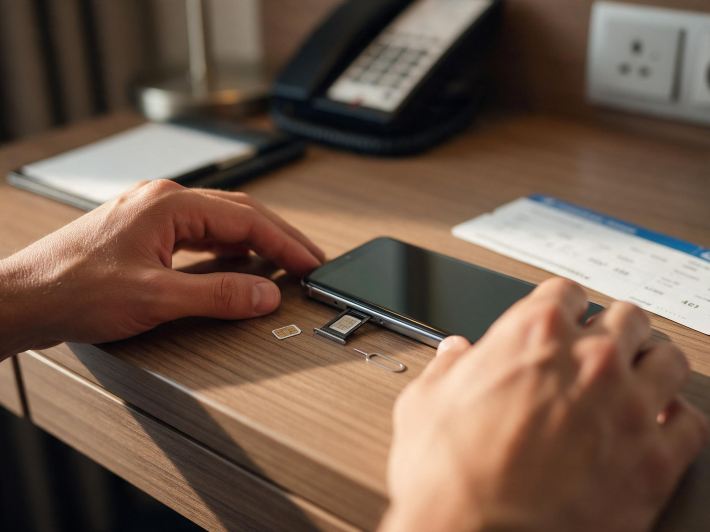
Keep the Indian SIM in the phone as a secondary line and switch its mobile data off. The number then stays reachable for bank OTPs, UPI-linked apps and two-factor logins, while the travel eSIM carries all of the data traffic.
- Leave the home line enabled for calls and SMS, with mobile data off and data switching off.
- Turn on Wi-Fi calling (VoWiFi) before you fly: incoming SMS can land over hotel Wi-Fi even in rooms with no cellular signal.
- Buy an entry-level international roaming pack if the number must work away from Wi-Fi, because a data-only travel eSIM cannot receive your bank's OTP.
- Finish app verification at home — Alipay and WeChat Pay send their setup codes to your Indian number.
Roaming pack or travel eSIM: two jobs, not one choice
They solve different problems, which is why most travellers end up with both. Incoming SMS is free on Airtel, Jio and Vi roaming packs; outgoing calls are billed per minute.
Option | What it gives you | What to watch |
|---|---|---|
Indian SIM with a roaming pack | Your own number, incoming SMS and calls | Per-minute call charges and a data allowance that runs out quickly |
China travel eSIM | Data from the moment you land, usually routed outside the mainland | Data only — no local number, and no SMS arrives on that line |
Hotel or cafe Wi-Fi | Free and unlimited in most Chinese hotels | Domestic network, so Google, WhatsApp and Instagram stay blocked |
What an Indian card can and cannot do in China
UPI and RuPay do not work in mainland China. Visa and Mastercard credit and debit cards do, once international transactions and online payments are enabled in your bank's app, and Alipay and WeChat Pay both accept those cards after passport verification. Smaller stalls and some taxis still prefer cash, so keep a few hundred yuan in notes as backup.
Chinese Apps, Google and WhatsApp on a China eSIM

What loads depends on the route your data takes. A travel eSIM and Indian roaming data tunnel back outside the mainland, so Google, WhatsApp and Instagram work; a local Chinese SIM or hotel Wi-Fi goes through domestic networks, so they do not.
Service | Travel eSIM or Indian roaming | Local China SIM or hotel Wi-Fi |
|---|---|---|
Google Search, Maps, Gmail | Works | Blocked |
WhatsApp, Instagram, YouTube | Works | Blocked |
WeChat, Alipay | Works | Works |
Amap, Baidu Maps, DiDi | Works | Works |
Indian banking apps | Usually works | Usually blocked |
Trip.com app | Works | Works |
Set up the three apps you will actually use
- Alipay — add a Visa or Mastercard, verify your passport, and set the payment order so the card is picked before any in-app balance.
- WeChat — register with your Indian number at home, because the SMS check needs a working line.
- DiDi and Amap — save your hotel address in Chinese characters before you land; English search inside both apps is thin.
Why the same plan behaves differently in two cities
Travel eSIMs buy capacity from one or more Chinese partners, and coverage varies by province. A plan that streams video in Shanghai can drop to text-only in parts of Yunnan or on a long high-speed train run — that is a roaming-partner limit, not a fault in your phone.
Set Up Your China eSIM Before You Board

Install the profile at home on Wi-Fi, leave the line switched off, and turn it on after landing. Done that way, a bad connection at the airport never leaves you without the QR code you need.
When | What to do | Why it matters |
|---|---|---|
Three or more days before | Run the *#06# check, confirm the phone is unlocked, buy the plan and read its activation and hotspot rules | No surprises at the gate |
The night before, at home | Install on Wi-Fi, rename the line “China”, screenshot the QR code and the APN | Installing needs internet, and home broadband is the reliable one |
Before you leave | Home line data off, Wi-Fi calling on, offline map downloaded | Fewer taps on arrival |
On landing | Line on, roaming on, data line set to the travel eSIM, then wait one to three minutes | Joining a Chinese network takes longer than people expect |
First ten minutes in the terminal | Run the 60-second data test | Catch a fault before you leave the hall |
Install now, activate later: what the plan clock does
Installing and activating are different steps. Most travel eSIMs start their validity at the first connection inside the covered country, so installing a week early is safe; some count from install, and a few count any covered transit stop. Read the product page for the rule that applies to the plan you bought.
What to keep offline
- The QR code, the order number and the APN, in one screenshot album
- Hotel name and address in Chinese characters, on paper as well as on the phone
- The metro or taxi route from the airport to the hotel, screenshotted
- Your provider's support channel, saved so it opens without data
For Indian travellers: airport Wi-Fi at Indian airports asks for an OTP to your own number, so finish the eSIM install on home broadband before you leave rather than at the gate.
Landing in China With No Data: Wi-Fi, SIM Counters and a Backup Plan

Even a well-prepared eSIM can fail on arrival. Three fallbacks get you out of the terminal without borrowing a stranger's hotspot: airport Wi-Fi, a SIM counter in the arrivals hall, and an offline pack already on the phone.
Airport Wi-Fi with a passport
Large Chinese airports let foreign passports log in at self-service kiosks or at a staffed desk near the gates; smaller airports often want a Chinese number instead. Network names change between terminals, so follow the signs rather than the name you read about online, and use the connection to message your provider's support.
SIM counters in the arrivals hall
Shanghai Pudong's international arrivals has China Telecom counters selling tourist SIMs for one week, two weeks and a month; Beijing Capital Terminal 3 and Daxing's international exit have “Beijing Service” desks doing the same. Staff register the number against your passport, so have it with you, and settle the bill by card or Alipay.
The offline pack that saves your first night
Keep this | Why | How to prepare |
|---|---|---|
Booking screenshots | Front desk can check them with no internet | One album with QR codes and booking numbers |
Hotel address in Chinese | Taxi drivers rarely read English | Copy it from your booking and print one copy |
Airport-to-hotel route | You can follow it with no signal | Screenshot the metro line, the change and the exit |
Payment app | Taxis, metro and food stalls take QR codes | Add a card to Alipay before you fly, and carry some cash |
Emergency numbers | Calls work without data | 110 police, 120 ambulance, 119 fire |
For Indian travellers: China runs two and a half hours ahead of India, so a pickup or check-in booked for “the same day” can slip past midnight local time — confirm the airport transfer in Beijing time.
When a China eSIM Stops Working Mid-Trip
A plan that dies halfway through a trip is almost always out of high-speed data, throttled for the day, or attached to a network that has gone congested. The fix is a balance check, a top-up or a manual network switch — not a reinstall.
What happens | Likely cause | Fix |
|---|---|---|
Speed collapses after a few hundred MB | Daily high-speed cap reached; data continues at a crawl | Wait for the daily reset, or top up |
Fine in one city, dead in the next | The partner network in that province is weak or not covered | Pick a network by hand |
Hotspot stops working | Hotspot allowance used, or the plan excludes tethering | Use the phone itself, or a second device |
Stops on the last day of the trip | Validity counted from activation, not from landing | Check the dates and buy a top-up rather than a new plan |
Switching networks by hand
Go to Settings > Mobile network > Network selection, turn Automatic off, pick the operator your provider lists, and give it 30 seconds. If the phone answers “not available”, turn Automatic back on — the plan may have no agreement with that operator where you are standing.
What to send support for a fast fix
- Order number, phone model and software version
- A screenshot of the eSIM's line screen showing signal, data and roaming state
- The APN you have set, next to the APN in your order email
- What you have already tried, and where you are
One warning: do not delete the eSIM while troubleshooting. A deleted profile usually cannot be reinstalled from the same QR code, and you end up in the support queue either way.
While support sorts the line out, the sights you came for still need booking — these are the China attractions visitors plan first.
China Attractions to Book Before You Fly

The Bund
4.8/5
5811 reviewsEvery first time visitor to Shanghai is attracted to the Bund, on a clear day with good weather conditions, amazing photos can be captured

Shanghai Museum
4.6/5
3185 reviewsЛепо је посетити, изложба је била из Јужне Америке и врло добро организована!




Pearl River Night Cruise
4.5/5
2082 reviewsThe Pearl River cruise in Guangzhou was a really enjoyable experience! We departed from Tianzi Pier, and the whole trip was wonderful. I especially enjoyed the beautiful views of the city, modern skyscrapers, and illuminated buildings along the riverfront. It’s a great way to see Guangzhou from a different perspective and enjoy its evening atmosphere
🔥[Discount] China Hotel Recommendations
Pick a hotel by its connection as much as by its price: near a metro or airport line, with in-room Wi-Fi and a staffed desk around the clock. Those three things decide whether a late arrival is a ten-minute check-in or an hour in a lobby looking for signal.
- Shanghai — Pudong and Hongqiao airport hotels for a first or last night, and People's Square for metro access to the rest of the city.
- Beijing — Dongcheng around Wangfujing for walkable sights, plus the Capital Airport belt for early departures.
- Guangzhou — Zhujiang New Town for Canton Fair venues and high-speed rail links south.
Top Shanghai Hotels
Top Beijing Hotels
Top Guangzhou Hotels
See All Hotels
 NO.1























China eSIM Not Working FAQs
-
Why is my China eSIM not working even after it is installed?
-
Do I need a VPN with a China eSIM?
-
Can I use my Indian SIM's roaming data in China instead of an eSIM?
-
How do I keep receiving bank OTPs in China?
-
Which APN should I enter for a China eSIM?
-
Will a phone bought in India work on Chinese networks?
-
What should I do if nothing works after an hour?
Disclaimer: This article has been provided by an individual contributor or third party platform. If there is any discrepancy regarding the copyright, please contact us directly and we will delete the content immediately.
Trending Searches
-
Popular Cities
-
Popular Airlines & Airports
-
Featured Flights
- Air India
- Alliance Air
- IndiGo
- SpiceJet
- Singapore Airlines
- Thai Airways
- Vietnam Airlines
- Air Canada
- Japan Airlines
- American Airlines
- Malaysia Airlines
- Korean Air
- Qantas
- Air New Zealand
- Azerbaijan Airlines
- British Airways
- Air China
- Lufthansa
- Indira Gandhi International Airport
- Chhatrapati Shivaji Maharaj International Airport
- Kempegowda International Airport
- Rajiv Gandhi International Airport
- Chennai International Airport
- Netaji Subhas Chandra Bose International Airport
- Sardar Vallabhbhai Patel International Airport
- Cochin International Airport
- Pune Airport
- Dabolim Airport
- Trip.com Cancellation Policy
- Trip.com Flight Cancellation
- Trip.com Customer Service
- Trip.com Seat Selection
- Trip.com Flight Change
- Trip.com E-Ticket
- Trip.com Phone Number
- Trip.com E-Receipt
- Trip.com Membership
- Trip.com Passport Change
- Trip.com Flight Ticket
- Trip.com baggage allowance
- Trip.com Customer Care
- Trip.com Refund
- Trip.com Change Booking
- Trip.com Contact
- Buy Now Pay Later
- Trip.com Cashback
- Is Trip.com Legit
- Trip.com Call Center