Book reliable global eSIM from Trip.com covering 108+ countries. Easy in-app activation, 4G/5G data, flexible plans, and exclusive discounts for travelers.

What Is Trip.com eSIM and How Does It Work?
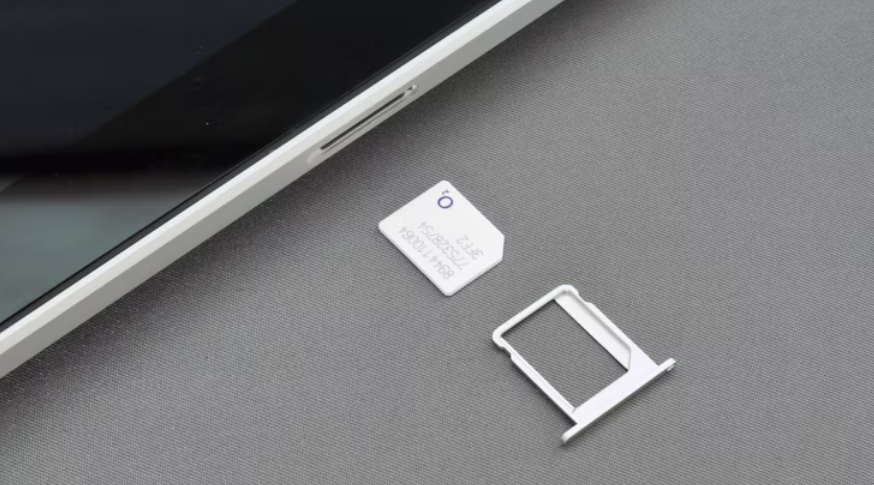
Credit: Unsplash, Brett Jordan
An eSIM (embedded SIM) is a digital SIM built into your device, no physical card required. You can download and activate a data plan remotely, so you don’t need to swap SIM cards at airports or local shops.
When you buy a global eSIM plan on Trip.com, you receive a digital profile (via in‑app install or QR code) that connects your phone to local networks in your destination. You can keep your home SIM active for calls and messages while using eSIM for travel data.
Trip.com Global eSIM Plans, Reviews & Deals
Trip.com provides a full range of global eSIM options for different travel styles, with high‑speed 4G/5G and straightforward pricing.
Advantages of Trip.com eSIM
- Clear, fixed pricing with no hidden fees
- Flexible daily or total data packages
- In‑app installation for newer devices
- 24/7 customer support
- Extra 5% discount for new users








How to Check If Your Device Supports eSIM
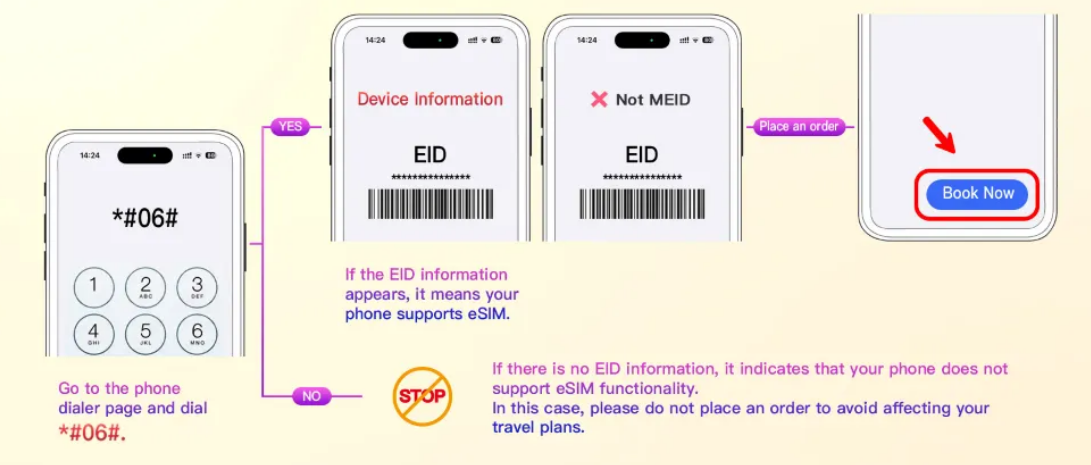
1. Quick Code Check
Open your phone dialer and enter:*#06#If an EID number appears, your device typically supports eSIM. If not, eSIM is not supported.
2. Check in Settings
- iPhone: Go to Settings > Mobile Data. If you see Add eSIM or Add Cellular Plan, your device is compatible.
- Android: Go to Settings > Network & Internet > Mobile Network. If you see Add eSIM or Download a SIM, your device supports eSIM.
3. General Compatibility Notes
Most flagship phones from 2018 onward support eSIM, including:
- iPhone XS, XR, 11, 12, 13, 14, 15, 16 series
- Samsung Galaxy S20+, S21, S22, S23, S24, Z Fold/Flip
- Google Pixel 3 and newer
- Many high‑end OnePlus, Xiaomi, OPPO models
Your device must also be network unlocked to use international eSIM. eSIM profiles are linked to your device’s EID number and cannot be freely moved between devices without support assistance. All Trip.com eSIM plans show clear pricing and usage rules with no hidden charges.
How to Activate Trip.com eSIM
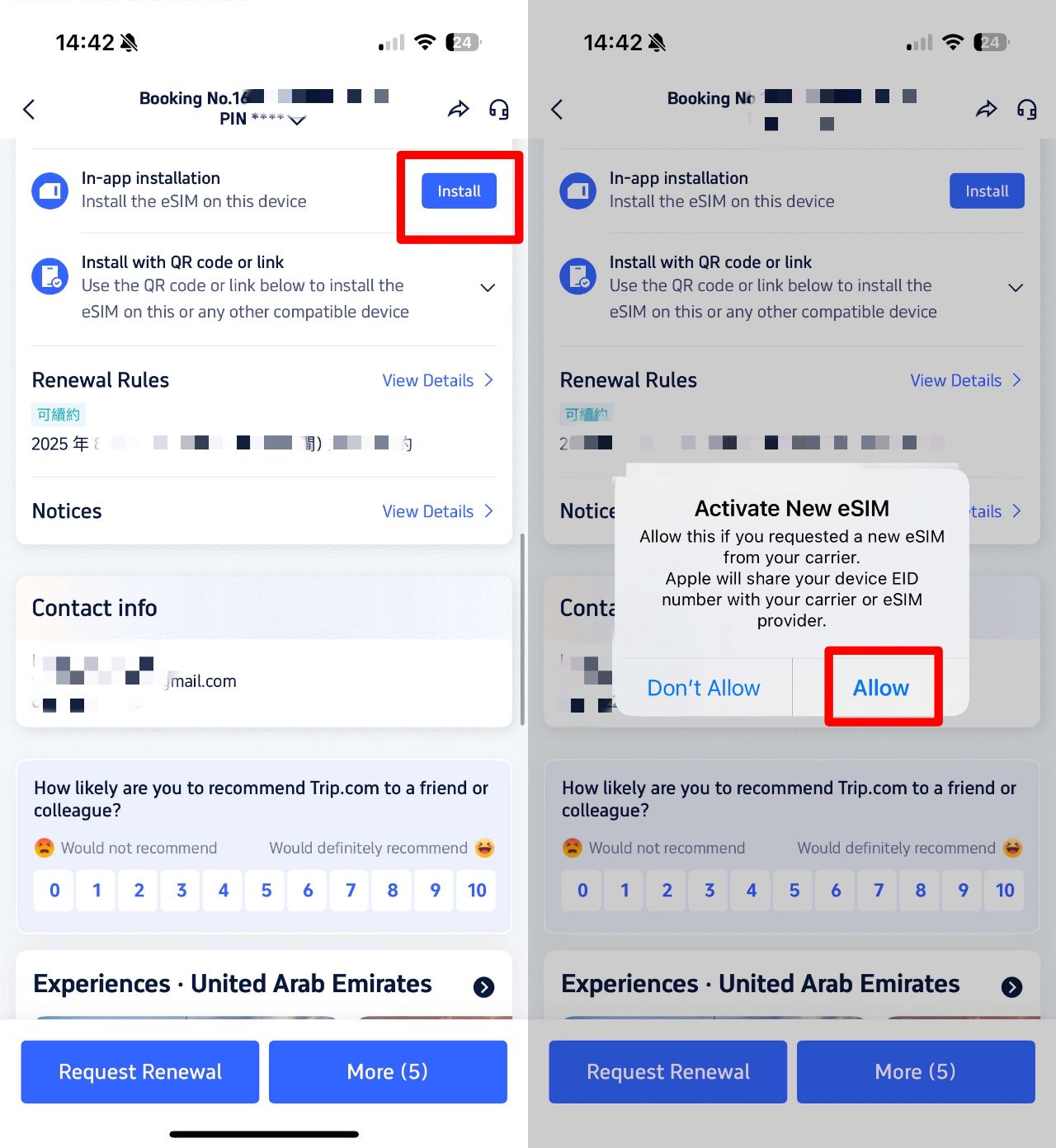
Method 1: In‑App Installation (No QR Code)
- Purchase your eSIM plan on Trip.com App
- Go to My Orders > eSIM
- Tap Install eSIM
- Follow on‑screen instructions to finish setup
Method 2: QR Code Activation
- Find your QR code in order details or email
- Go to Settings > Mobile Data > Add eSIM
- Scan the QR code and install the profile
- Enable data roaming when abroad
Note: Activate before your trip but turn on data roaming only after landing to avoid unintended usage.
How to Set Up Trip.com eSIM for iPhone & Android
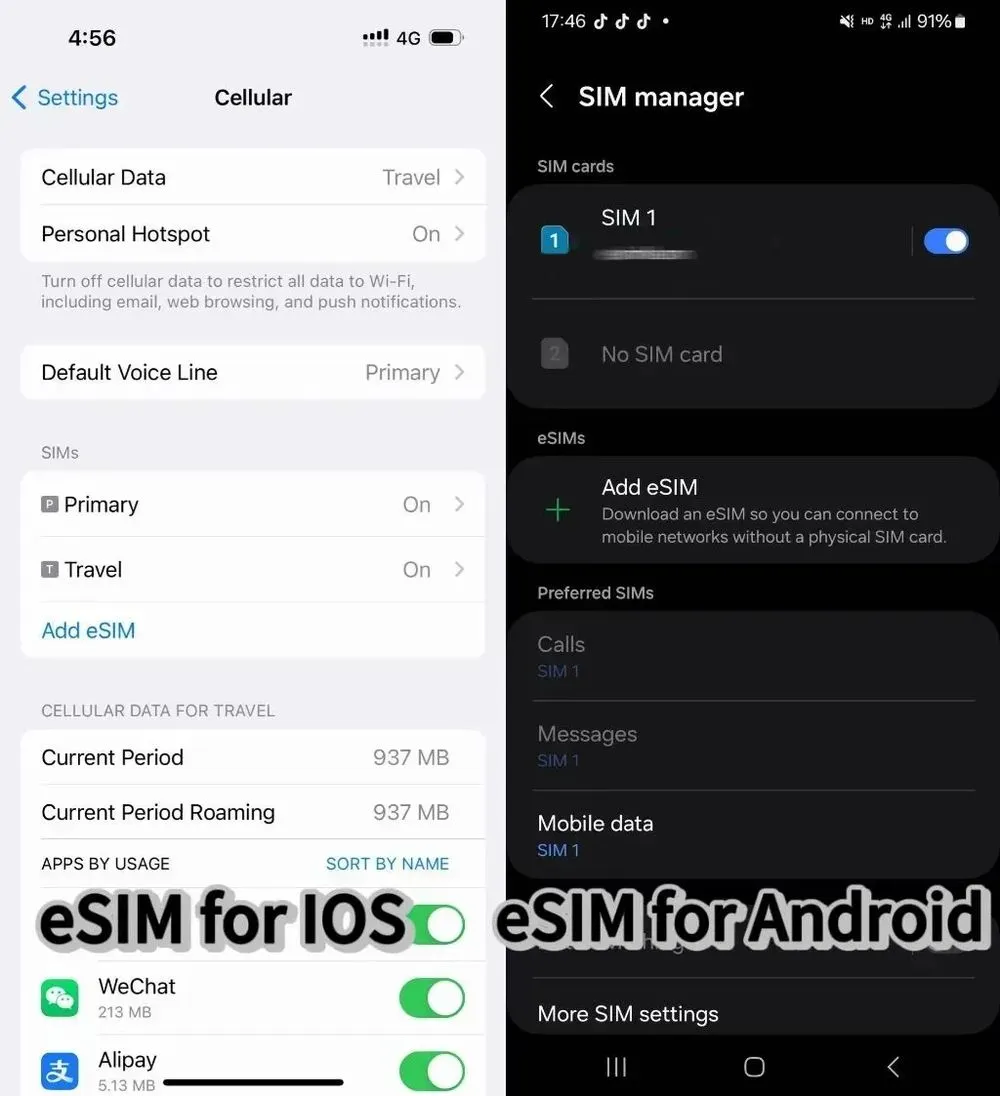
iPhone Setup
- Go to Settings > Mobile Data
- Select your Trip.com eSIM
- Rename it for easy recognition
- Set your home SIM for calls, eSIM for data
- Enable Data Roaming when traveling
Android Setup
- Go to Settings > Network & Internet > Mobile Network
- Select your Trip.com eSIM
- Set as default data network
- Enable Data Roaming abroad
- Check data usage in settings or Trip.com App
Trip.com eSIM vs SIM Card vs WiFi vs Roaming
Option | Pros | Cons | Best For |
|---|---|---|---|
Instant setup, keep home number, global coverage, affordable | Requires eSIM‑compatible phone | Most international travelers | |
Physical SIM | Works on all phones | Must buy and swap on arrival, loses home number | Non‑eSIM devices |
Portable WiFi | Share with multiple devices | Extra device to charge, rental cost | Groups with non‑eSIM phones |
International Roaming | No setup | Very expensive, slow speeds, hidden fees | Emergency use only |
 2901 booked







How to Transfer eSIM to a New Phone

- Remove the eSIM profile from your old device
- Contact Trip.com support with your new phone’s EID number
- Support will reissue a new eSIM profile
- Install and activate on your new device
Manual transfer is not supported for security and plan validity reasons.
[10% Off] Best Global Hotels







FAQs about Trip.com eSIM
-
Can I use WhatsApp with Trip.com eSIM?
-
Do Trip.com eSIM plans include voice calls?
-
Can I cancel my Trip.com eSIM plan?
-
How can I check my Trip.com eSIM data usage?
-
Can I add more eSIM data if I run out?
-
Can I use Trip.com eSIM on a tablet or smartwatch?